

Want to see exactly how ChatGPT, Gemini, Perplexity and Google AI Mode answer a query, which brands they mention, and which sources they trust?
With the AI Search Analyzer in thruuu, you can analyze Google SERP and up to 5 AI search engines in a single analysis.
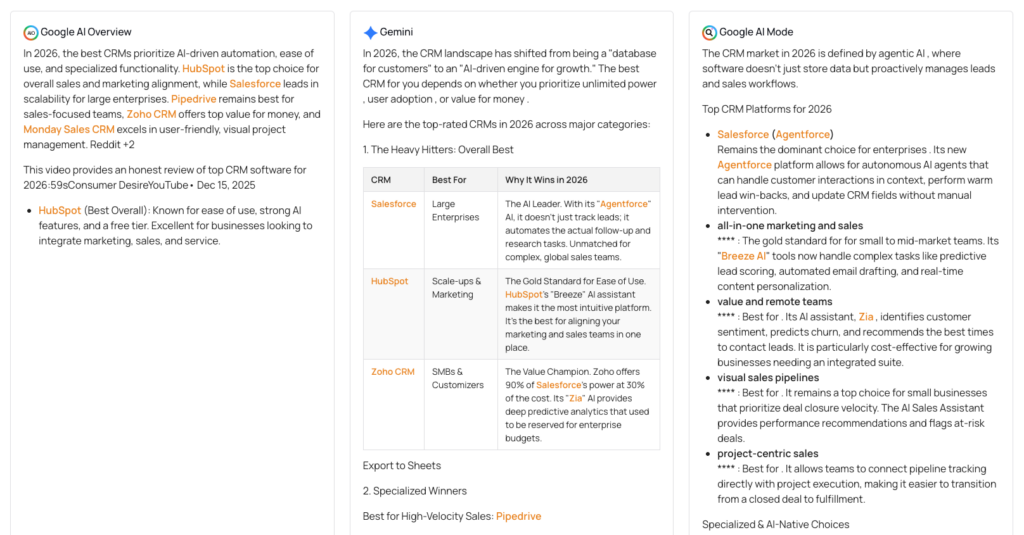
No switching between tabs, no manual prompting. One click, one unified report.
What the AI Search Analyzer does:
- Scrape the actual AI response each engine shows to users (frontend scraping, not LLM API calls)
- Extract brand mentions across all AI engines and see which brands dominate
- Identify the sources and domains each AI cites, and compare them to Google organic rankings
- Surface common topics, questions, and heading structures from all cited sources
- Compare AI engines side by side to spot differences in tone, sources, and brand visibility
If you’re doing SEO or content strategy in 2026, optimizing for Google alone is no longer enough. The AI Search Analyzer shows you how AI engines interpret your keywords and what it takes to get cited.
Overview of the AI Search Analyzer
The AI Search Analyzer is built into the thruuu SERP Analyzer.
When you launch a SERP analysis, you can select which AI search engines to analyze alongside Google.
thruuu then scrapes each engine’s response in real time. Google results come first (30–60 seconds), followed by the AI search engines.
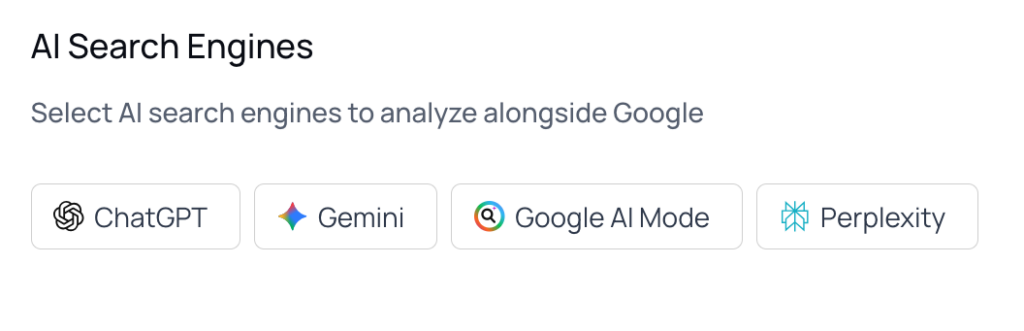
The thruuu AI Search Analyzer supports the following AI search engines:
- ChatGPT
- Google Gemini
- Google AI Mode
- Google AI Overview
- Perplexity
Important distinction: thruuu does not call LLM APIs behind the scenes. It scrapes the actual frontend response that real users see when they search. This means you’re analyzing the same experience your audience gets, not a synthetic API output.
Each AI engine produces a report with the following data points:
- Response: The full AI summary the engine showed for your query
- Sources: All cited sources with on-page data (word count, image count, and more). Click any source for detailed analysis.
- Insights: Brand count, source count, and themes extracted from the AI summary
- Brand Mentions: How often each brand is cited across sources (Agency plan only)
- Topics: The most frequent terms found across all source pages
- Outline: The heading structure of every cited source
- Questions: Questions found on source pages and in FAQ schema
- Images: All images extracted from source pages
- Videos: All videos extracted from source pages
You access each engine’s report from a dropdown at the top of the analysis view.
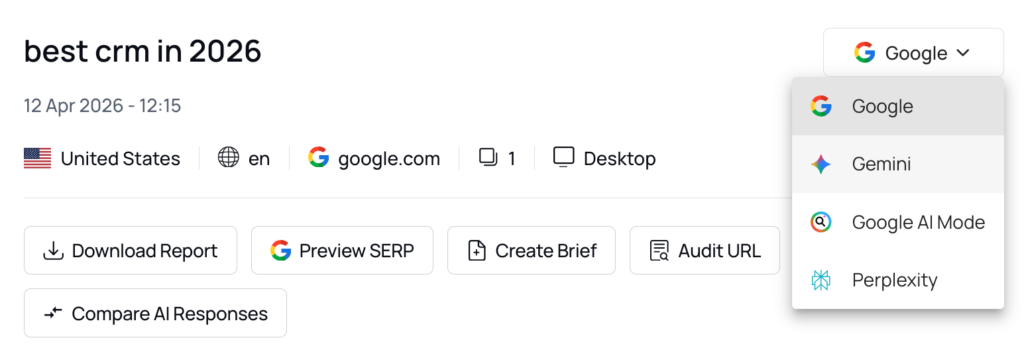
If you’re already familiar with the thruuu SERP Analyzer, you’ll recognize the data layout. The AI Search Analyzer follows the same structure.
AI Response Scraping
The Response tab shows you the full AI summary each engine generated for your query.
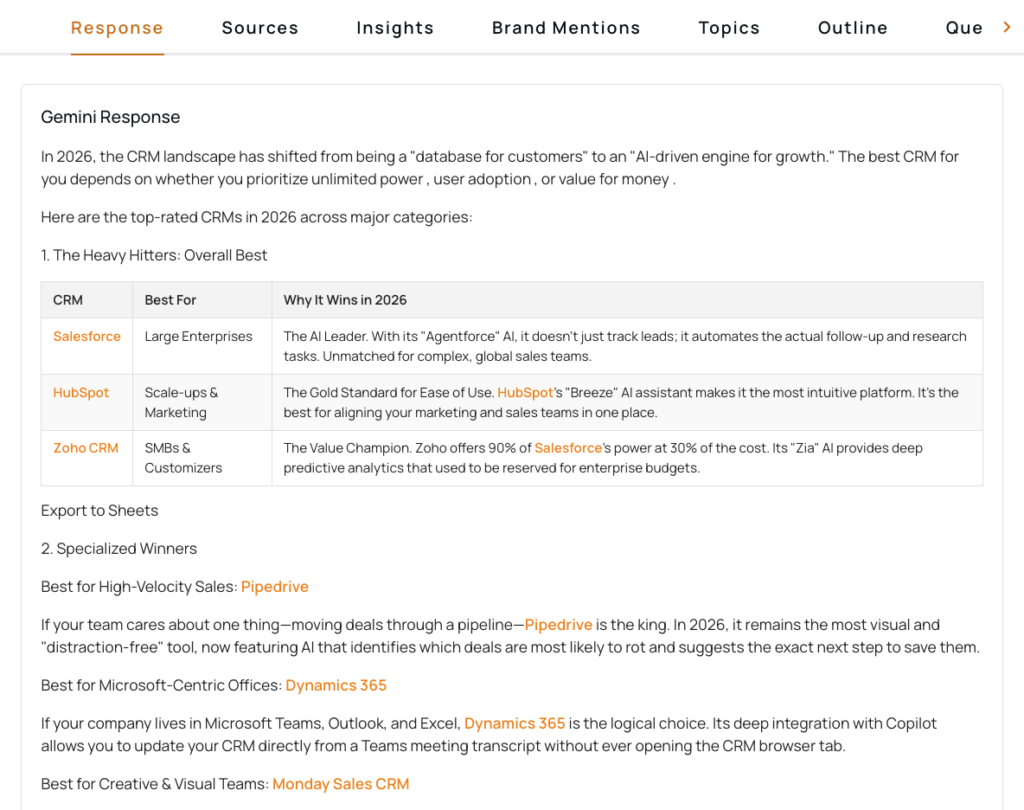
This is the exact text a user would read if they searched this keyword on ChatGPT, Gemini, or Perplexity. It is not a rewritten or paraphrased version.
Why this matters: AI engines don’t all say the same thing. For the same query, ChatGPT might lead with product recommendations while Gemini focuses on educational context.
Seeing the actual responses helps you understand what each engine prioritizes and how your content should be positioned to match.
Sources and Domain Analysis
The Sources tab lists every domain an AI engine cited in its response, along with on-page data for each source (word count, image count, and more). Click any source to get a detailed breakdown.
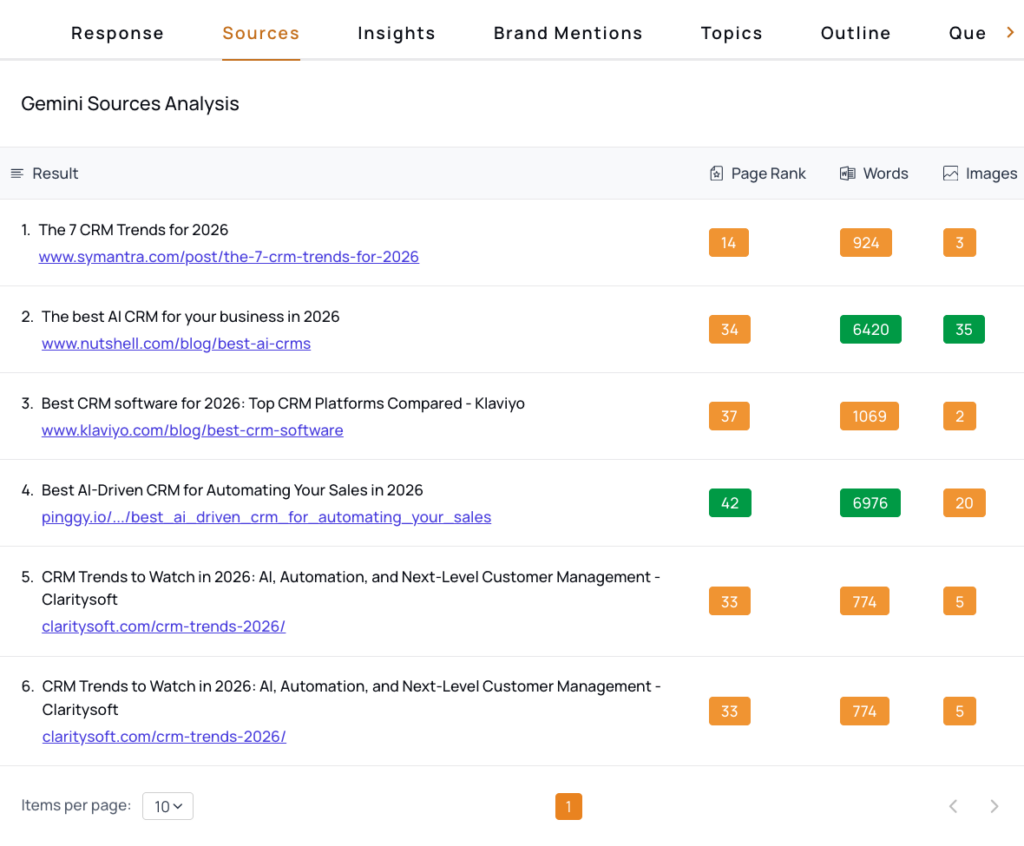
This is where the thruuu AI Search Analyzer surfaces a key insight: which websites does a specific AI engine trust for your keyword?
You might find that Google AI Mode cites niche publications you’ve never targeted, while ChatGPT leans on high-authority sites like CNET or TechRadar.
Use this view to identify the sources an AI engine considers authoritative for your topic. If your domain doesn’t appear in the list, these are the sites worth analyzing to understand what earned them a citation.
To compare which domains appear across multiple AI engines, use the Compare > Domain view covered below.
Brand Mentions Analysis
The Brand Mentions tab shows you every brand detected in an AI engine’s response, then checks how often each brand appears across the engine’s cited sources and across Google’s organic results.
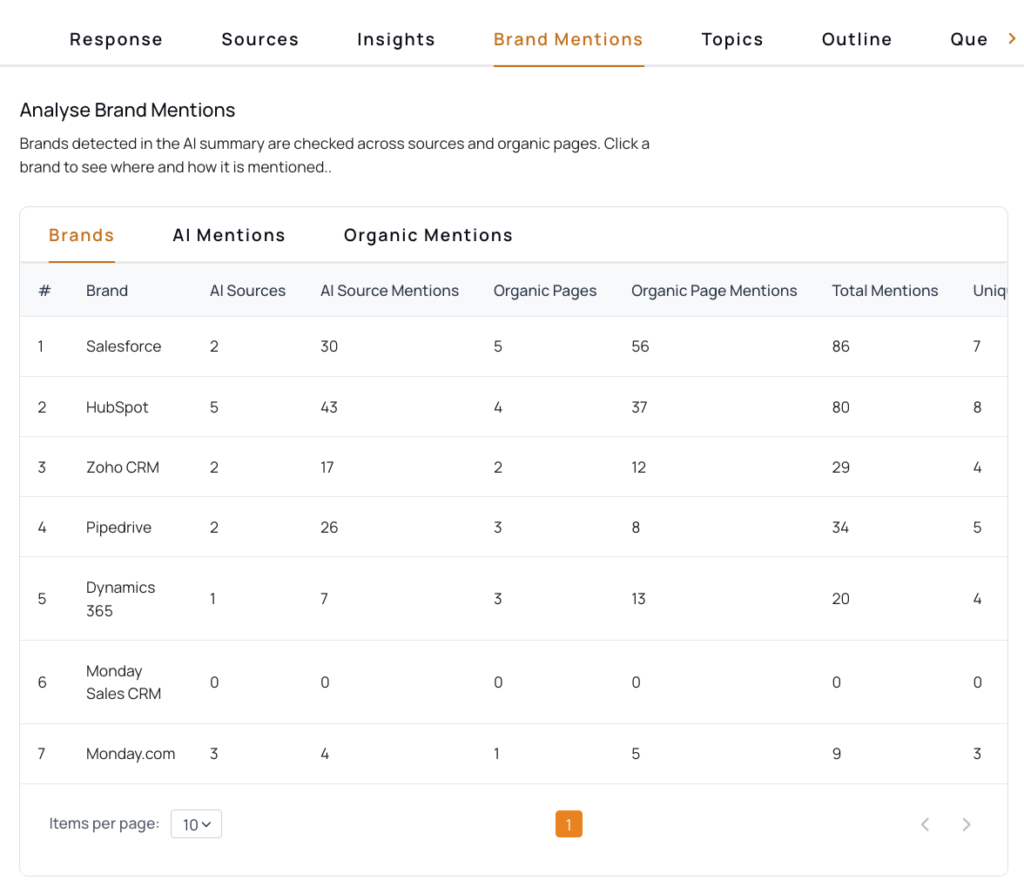
For each brand, the thruuu AI Search Analyzer displays:
- AI Sources: How many of the engine’s cited sources mention the brand
- AI Source Mentions: Total number of mentions across those sources
- Organic Pages: How many Google organic pages mention the brand
- Organic Page Mentions: Total mentions across organic pages
- Total Mentions: Combined count across AI sources and organic pages
- Unique Domains: How many distinct domains reference the brand
This view answers a specific question: for a given AI engine, which brands dominate the conversation?
If Salesforce appears in 18 AI sources with 154 mentions while your brand shows up in 2 sources with 4 mentions, you can see the gap clearly and start investigating what content drives that difference.
Click any brand to drill into exactly where and how it is mentioned.
To compare brand visibility across AI engines (e.g., ChatGPT vs. Gemini vs. Perplexity), use the Compare view covered below.
Common Topics and Questions
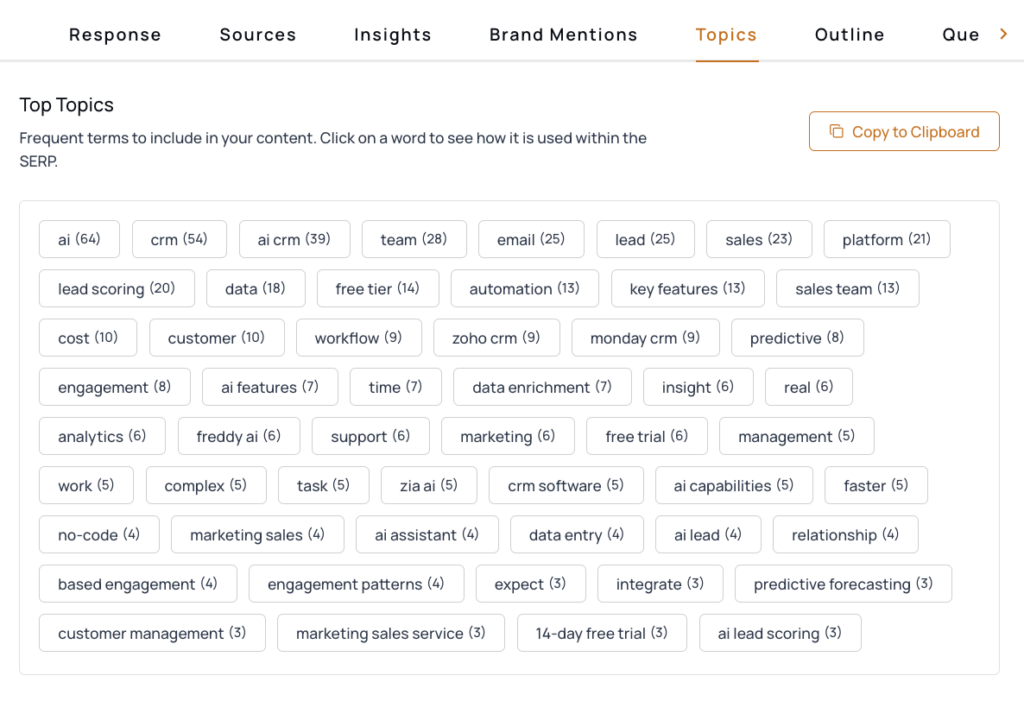
The Topics tab runs n-gram analysis across all source pages cited by AI engines. You’ll see the most frequent terms and phrases, helping you understand the vocabulary AI engines associate with your keyword.
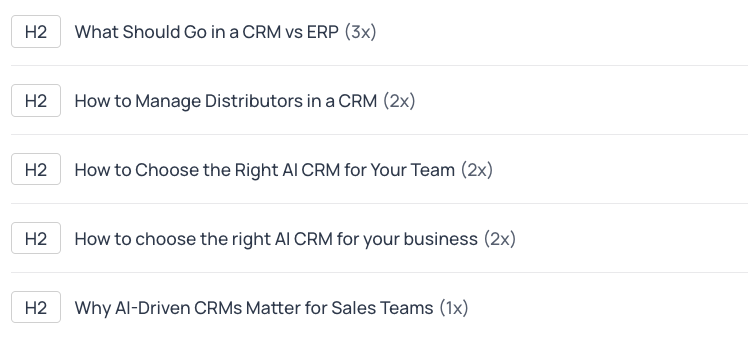
The Questions tab extracts questions from source page headings and FAQ schema. These are the questions users are asking and that AI-cited sources are answering.
Use both views to build content that covers the right topics and answers the right questions, increasing your chances of being cited as a source.
Compare AI Searches Side by Side
The Compare button at the top of the analysis view lets you see all AI engines next to each other. This is where the thruuu AI Search Analyzer goes from reporting to strategy.
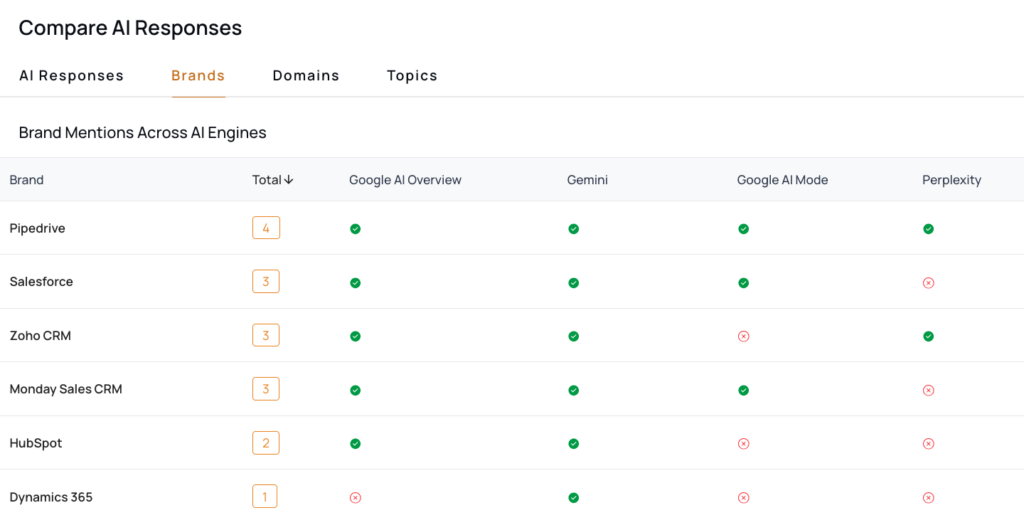
Four comparison views are available:
- AI Response: Read every engine’s summary side by side. One engine might lead with product recommendations while another focuses on educational context. Spotting these differences tells you what kind of content each engine favors.
- Brand: See a unified table of all brand mentions across engines. One row per brand, one column per engine. If a competitor is mentioned by all 5 engines while your brand only appears in 1, you know exactly where to focus.
- Domain: See which domains each engine cites as sources. Identify authority sites that appear across multiple engines vs. those cited by only one. These are the sites worth targeting for backlinks or mentions.
- Topics: Compare the most frequent terms across engines. Find topics all engines agree on and niche terms only some engines surface. Use these to fill gaps in your content.
Instead of analyzing each engine in isolation, the Compare view gives you the full landscape at once. You can spot which AI engines ignore your brand entirely, which competitors dominate across the board, and where the real opportunities are.
How to Get Started with the AI Search Analyzer
The AI Search Analyzer is built directly into the thruuu SERP Analyzer.
Steps to get started:
- Create a free thruuu account (if you don’t have one yet).
- Log in and open the Search Analyzer page.
- Enter a keyword or prompt and select which AI engines to include.
- Launch your analysis and watch results stream in.
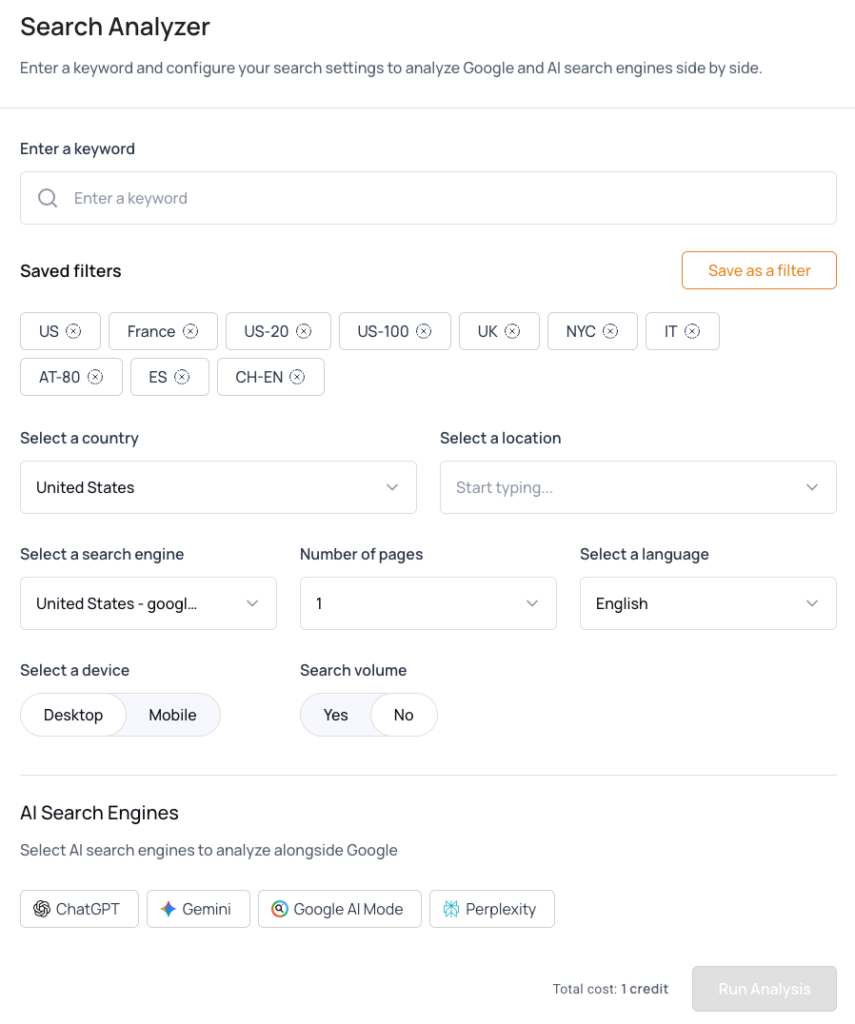
Google results appear first. Each AI engine’s report becomes available as it completes. Use the dropdown at the top to switch between engines, or click Compare to see them side by side.
What Plan Do You Need to Run an AI Search Analysis?
The AI Search Analyzer is available on Pro and Agency plans. You can also test it during the free trial.
| Plan | AI Search Access | Available AI Engines |
|---|---|---|
| Starter | ✘ | None |
| Trial | ✔ | All 5 engines |
| Pro | ✔ | ChatGPT + AI Overview |
| Agency | ✔ | All 5 engines |
Credit cost: Each AI engine you include costs 1 additional credit on top of the Google SERP analysis credit. If you analyze Google + ChatGPT + Gemini + Google AI Mode + Perplexity, that’s 5 credits total.
Tips to Make the Most of the AI Search Analyzer
To get the best results, treat AI search analysis as a complement to your SERP analysis, not a replacement.
Here’s how to get the most out of it:
- Start with your most important keywords. Run your core commercial and informational queries first. Look at where your brand appears (and where it doesn’t) across AI engines before expanding to long-tail keywords.
- Compare Google rankings to AI citations. If you rank in the top 3 on Google but no AI engine mentions you, that’s a visibility gap worth investigating. Check which domains AI engines cite instead, and consider earning mentions on those sites.
- Pay attention to tone differences. Each AI engine has its own style. If ChatGPT favors conversational, experience-driven content and Gemini prefers technical depth, you may need different content assets to cover both.
- Track changes over time. Run the same analysis periodically. As you publish optimized content and earn mentions on authority sites, check whether your brand visibility in AI search improves.
- Feed the data into your content strategy. Combine the Topics and Questions views with thruuu’s content brief tools to build articles that address exactly what AI engines and their sources cover.
Ready to See How AI Search Engines Talk About Your Brand?
Analyze Google and 5 AI engines in a single click. See which brands get mentioned, which sources get cited, and what you need to do to get visibility.