

Want a single strategic brief that tells you what to write and how to write it, instead of piecing it together from a dozen analysis tabs?
The Analysis Agent in thruuu reads your entire SERP analysis (search intent, competitor headings, brand mentions, and AI engine results) and produces one strategic report in a single place.
What the Analysis Agent does:
- Synthesizes intent, format, competitors, AI engines, and brands into one report
- Summarizes who is searching and what those users are trying to accomplish
- Benchmarks the dominant content format, length, and FAQ usage against real competitors
- Groups the top 10 ranking pages into strategic player types, not just page formats
- Explains how ChatGPT, Gemini, Google AI Mode, AI Overview, and Perplexity each handle the query
- Surfaces must-cover topics, AI-only opportunities, and underserved angles
- Delivers a content brief blueprint with a recommended title, heading structure, and word count
- Hands off to a pre-filled content brief in one click
Instead of reading raw data across separate tabs, you get a passage-level strategic view you can act on, and turn into a content brief ready for drafting.
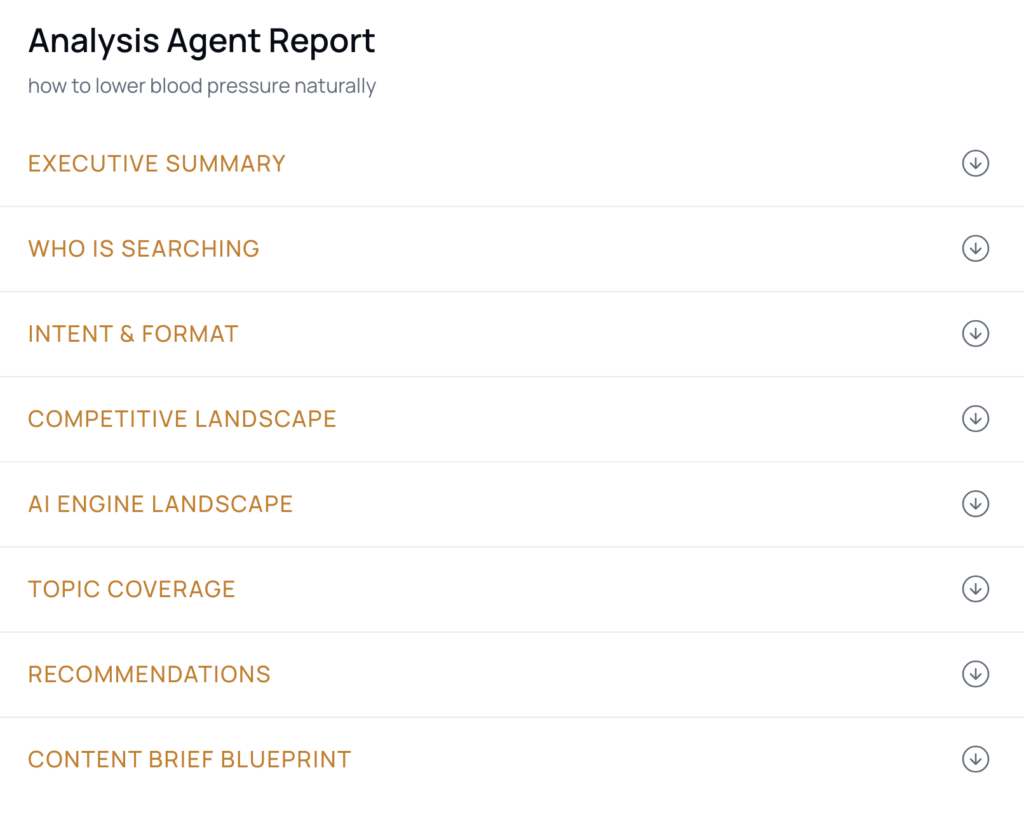
Overview of the Analysis Agent
The Analysis Agent lives inside any completed SERP analysis in thruuu.
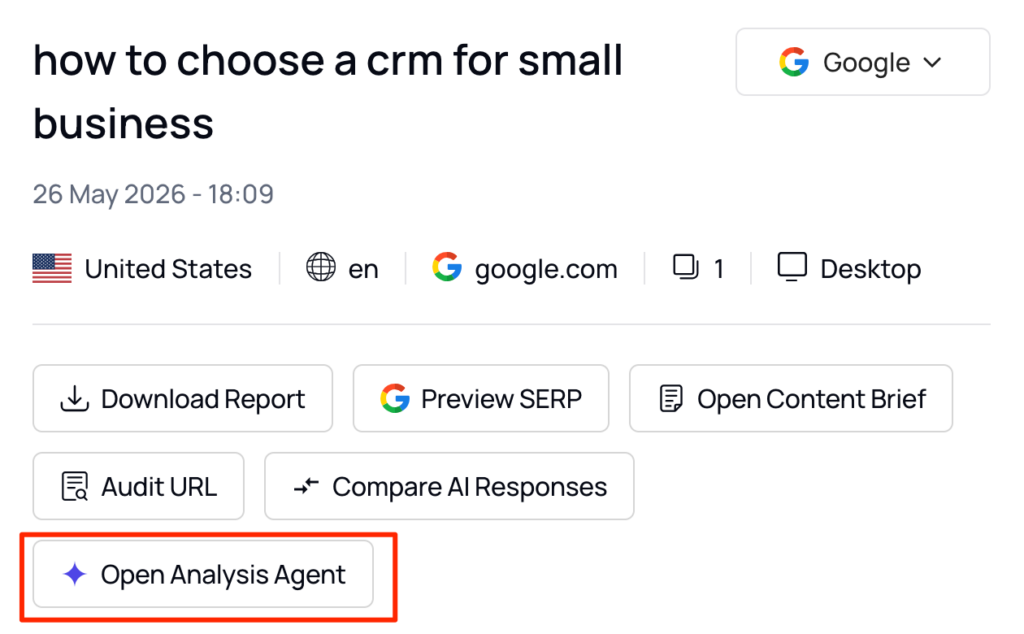
From the keyword results view, click Run Analysis Agent. The report opens in a fullscreen panel within the app.
The agent reads all of your analysis data together: intent, competitor headings, brand mentions, organic results, and the AI engine responses.
It does not replace the detailed tabs (heading clusters, content clusters, brand mentions). Those stay accessible alongside the report.
The report covers nine sections:
- Executive summary: A synthesis of who is searching, what Google rewards, how AI engines behave, the biggest gap, and the top threat.
- Who is searching: Audience personas and what those users are trying to accomplish.
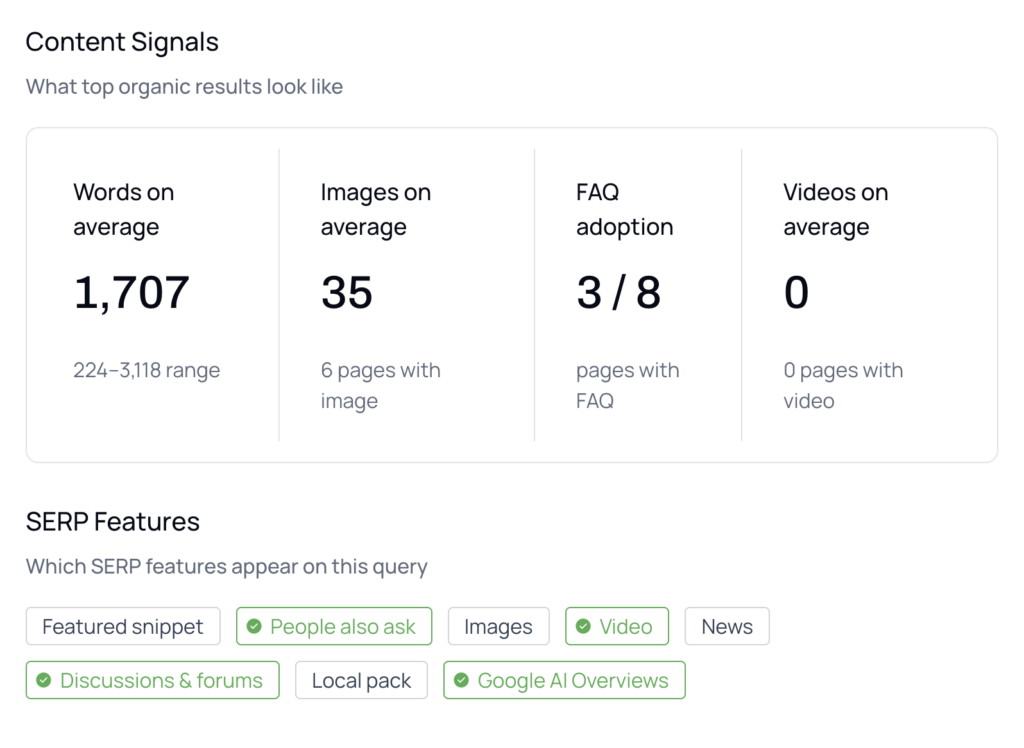
- Intent and format: Dominant format, average length, image and video usage, and FAQ prevalence, benchmarked against competitors.
- Competitive landscape: The top 10 pages grouped into strategic player types, with the specific threats called out.
- AI engine landscape: How each AI engine handles the query, what it cites, and what that signals for citation strategy.
- Brand landscape: Which brands appear across AI responses and organic results, and how prominently.
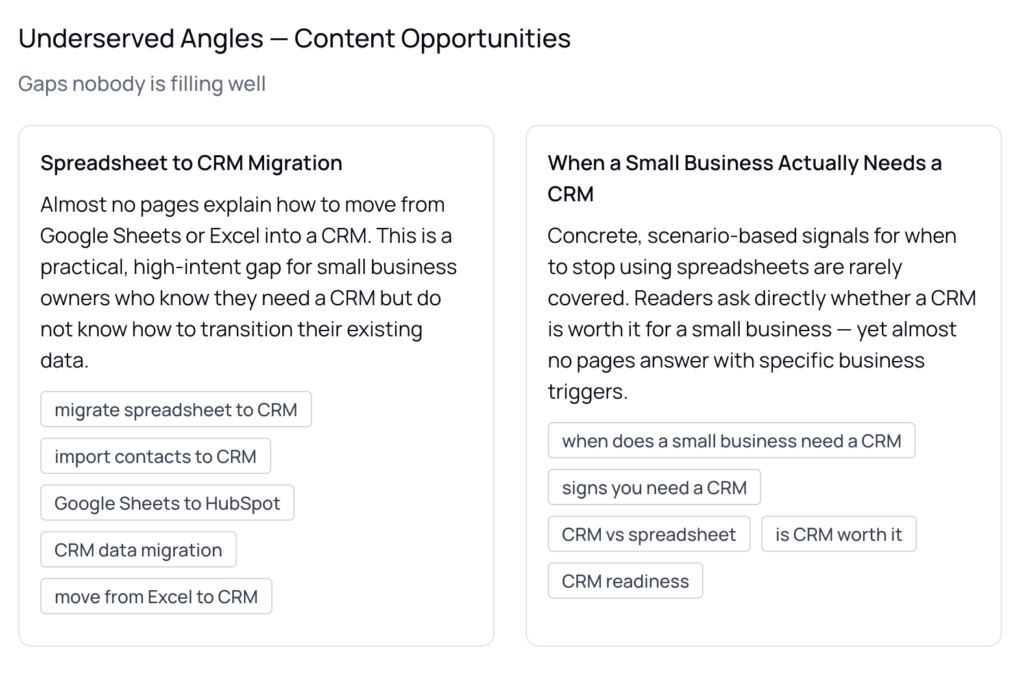
- Topic coverage: Must-cover topics, AI-only opportunities, underserved angles, and common “people also ask” questions.
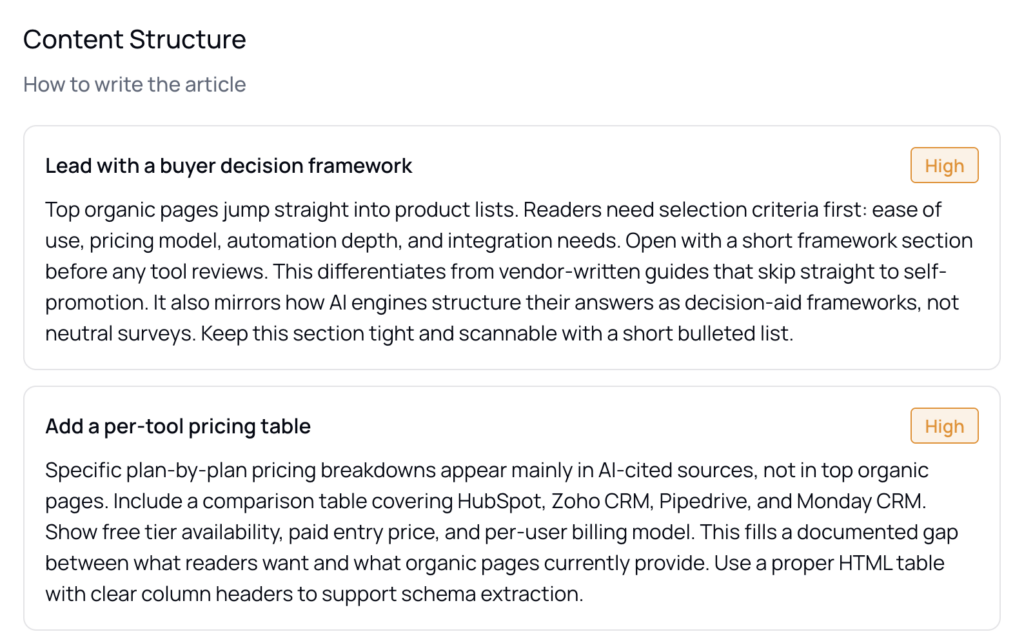
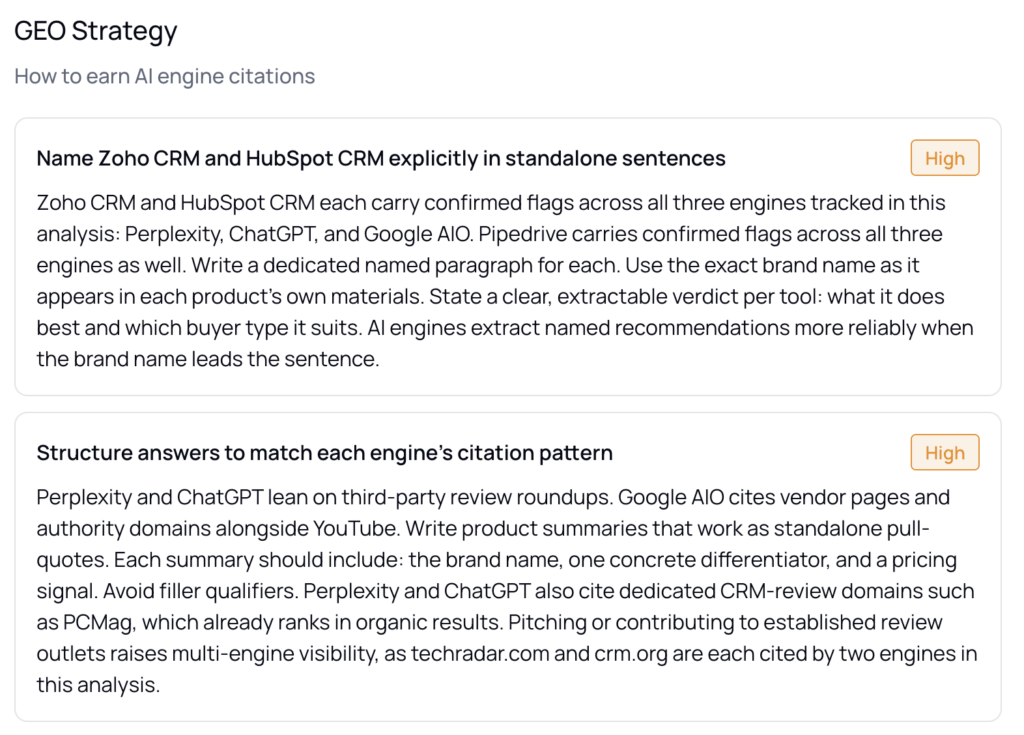
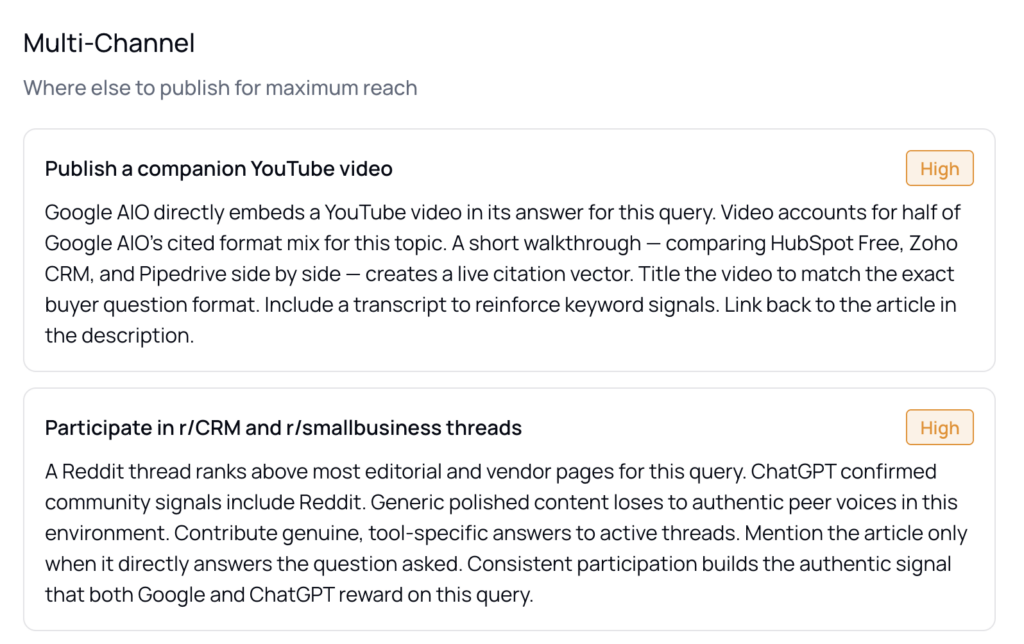
- Strategic recommendations: How to structure the article, position it for AI citation, and where else to publish.
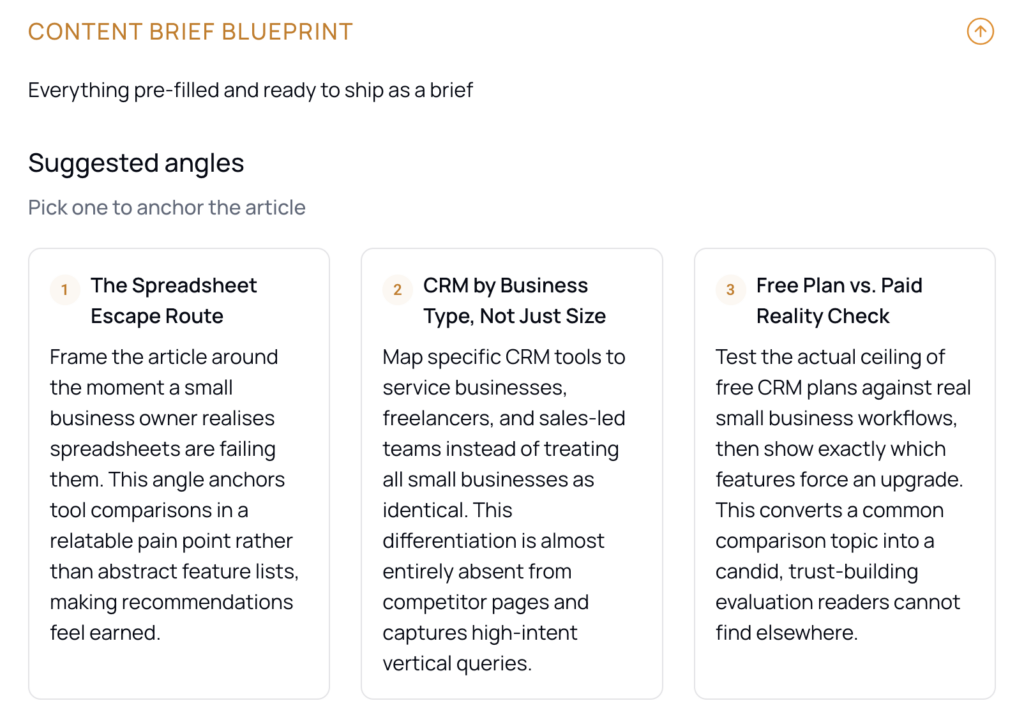
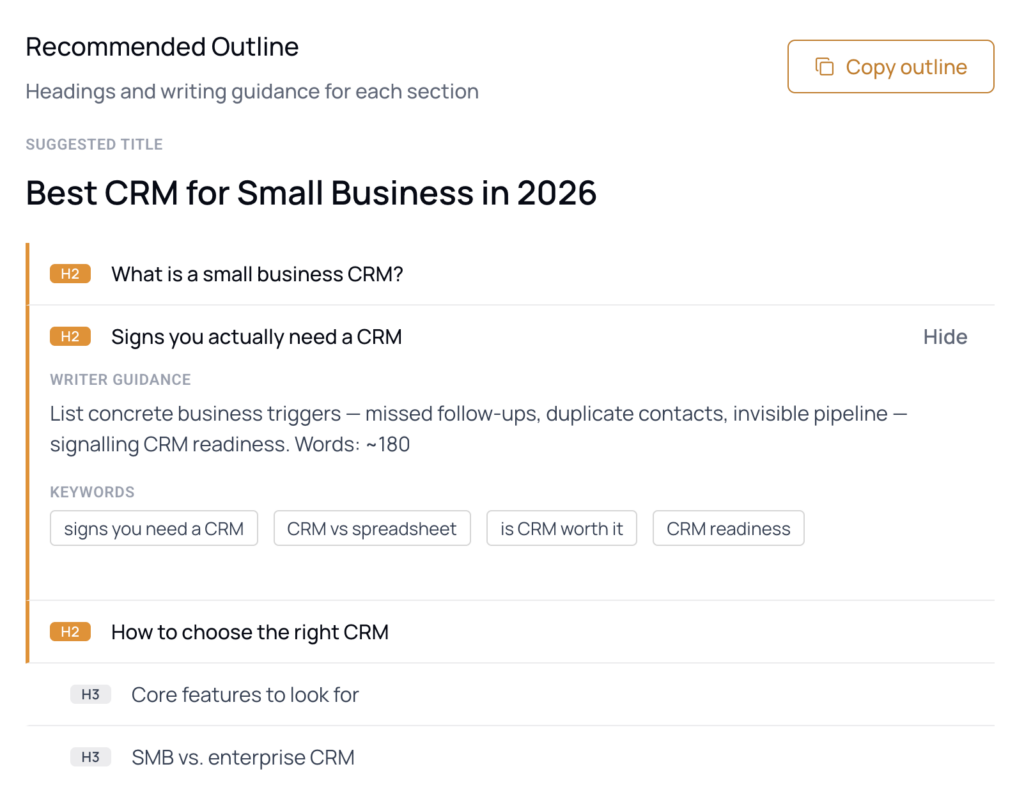
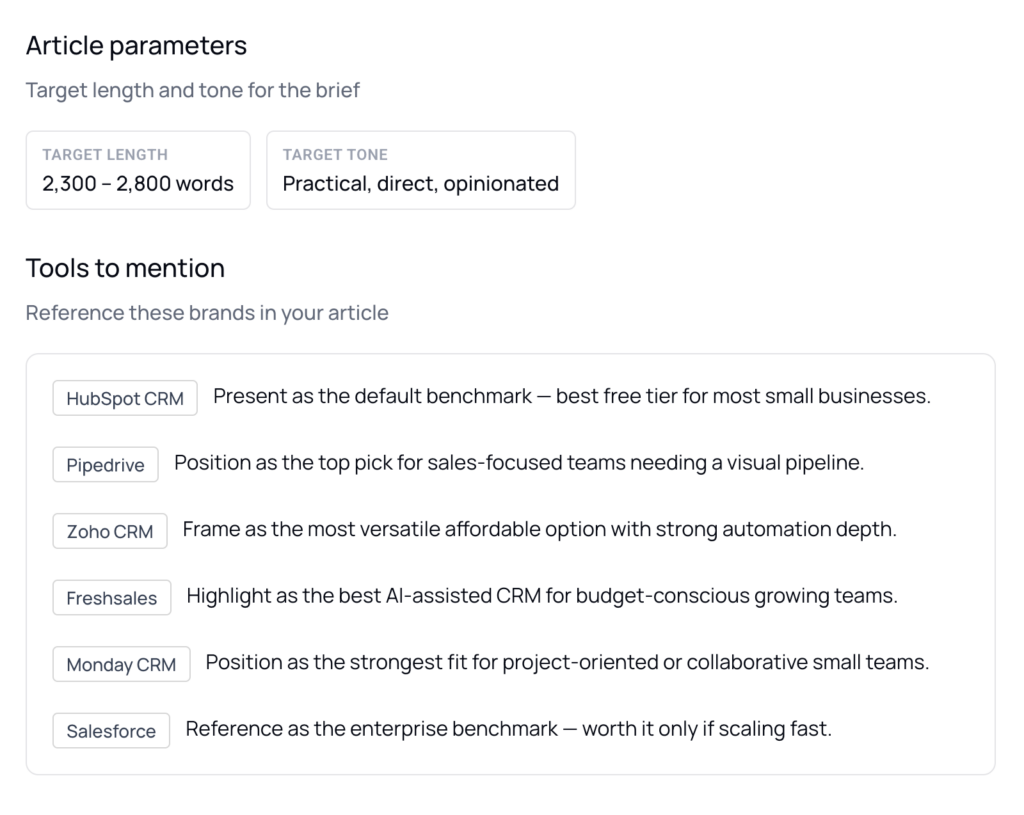
- Content brief blueprint: Suggested angles, a full heading structure with guidance, target word count, tone, and brands to mention.
Each section is detailed below.
Executive summary
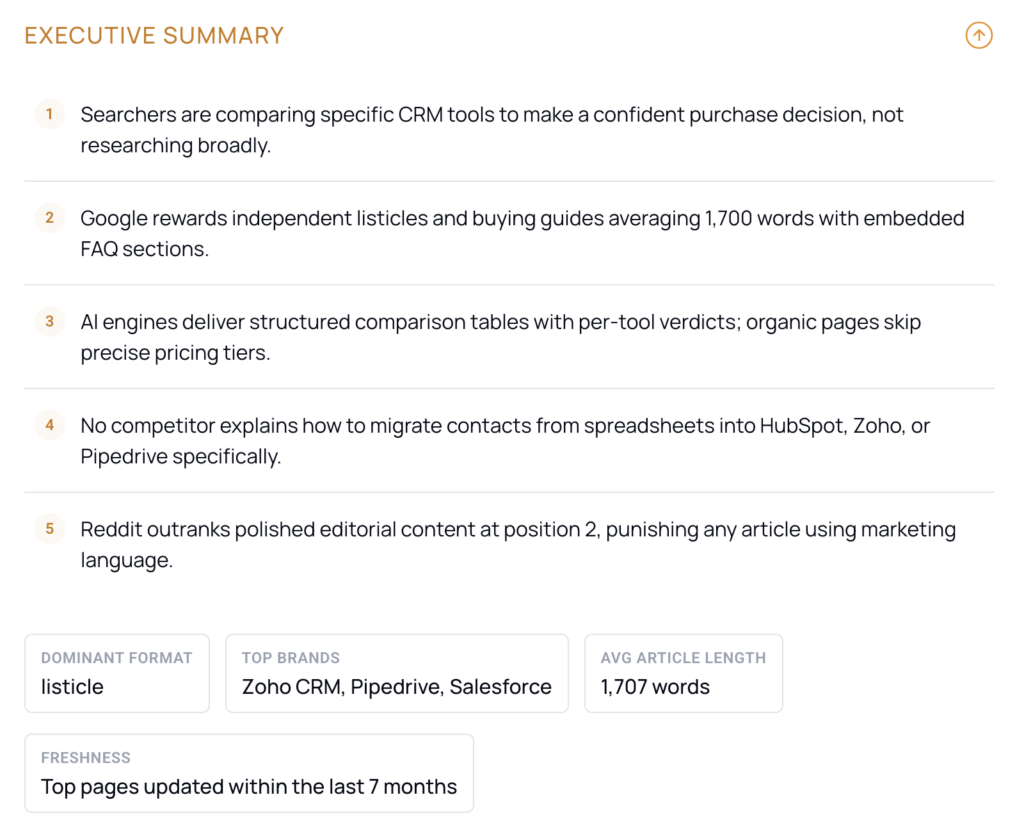
A 5 to 6 sentence synthesis of the full picture: who is searching, what Google rewards, how AI engines behave, the biggest content gap, and the top competitive threat.
Read this first. It tells you whether a keyword is worth pursuing before you spend time in the detail.
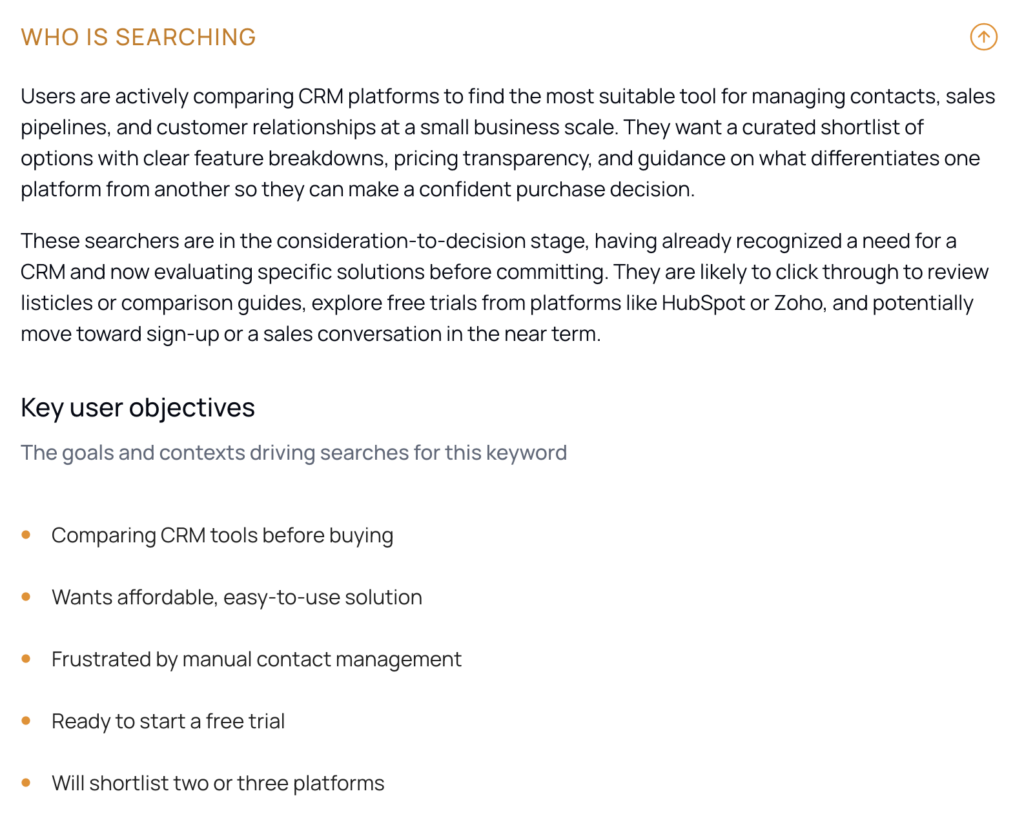
Who is searching
Audience personas for the keyword and what those users are actually trying to accomplish.
This grounds the rest of the report in a reader, so format and topic decisions map to a real intent rather than a guess.
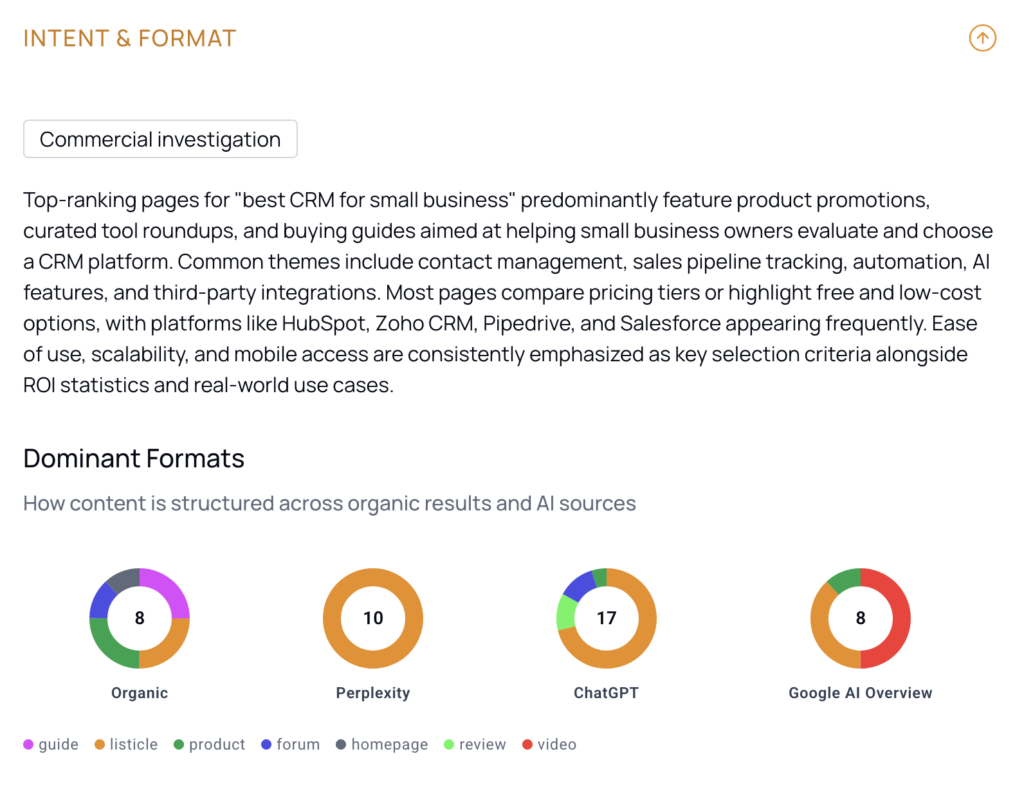
Intent and format
The dominant content format across top-ranking pages (listicle, guide, how-to, and so on), average article length, image and video usage, and FAQ prevalence.
Competitive landscape
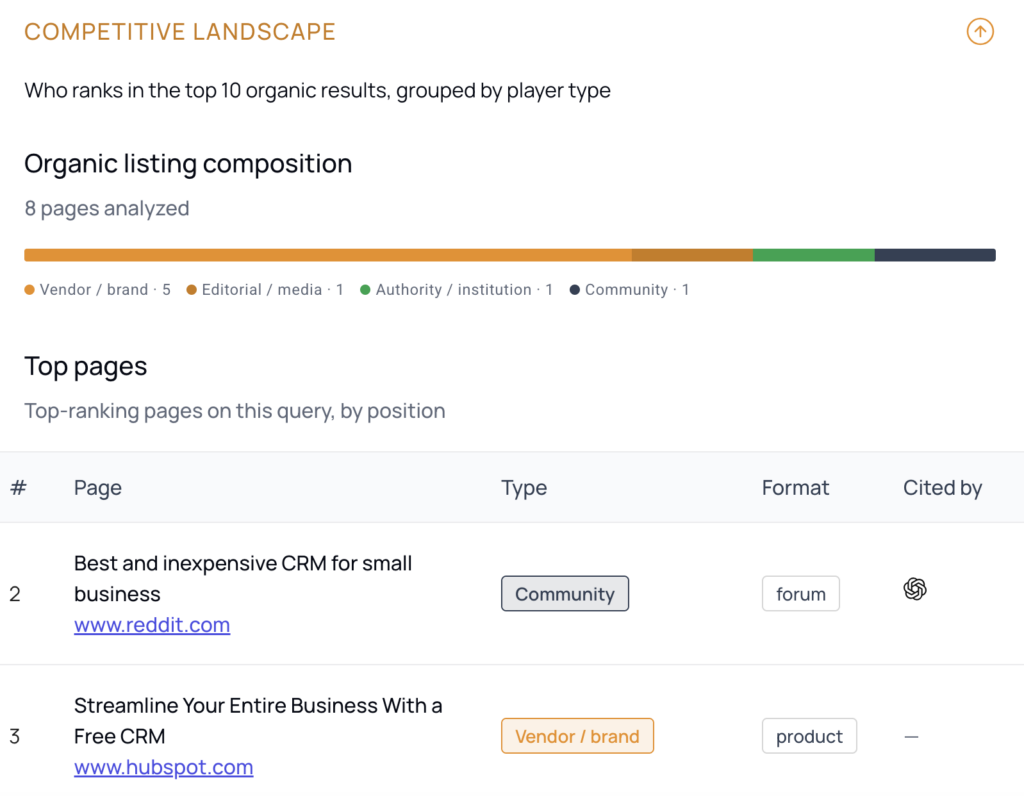
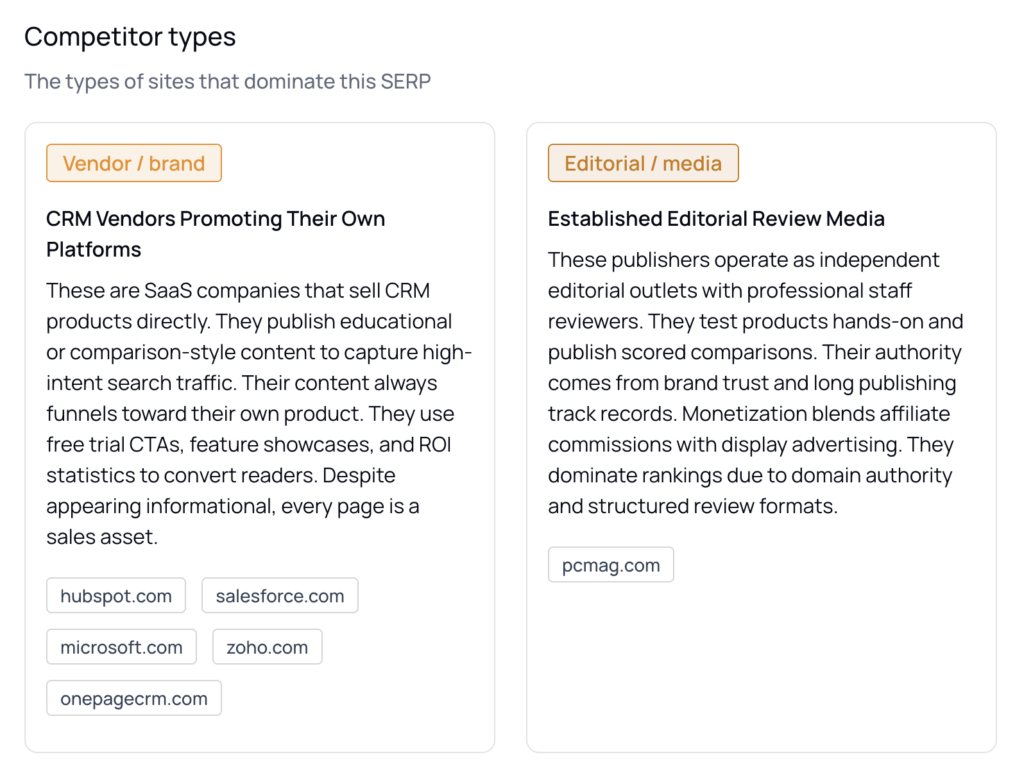
The top 10 ranking pages grouped into strategic player types: authority institutions, vendor brands, independent reviewers, community platforms, and others.
Each domain is classified by who owns it, not by what kind of page it is, so a government agency, a SaaS vendor, a blogger, and a Reddit thread each get a meaningfully different label.
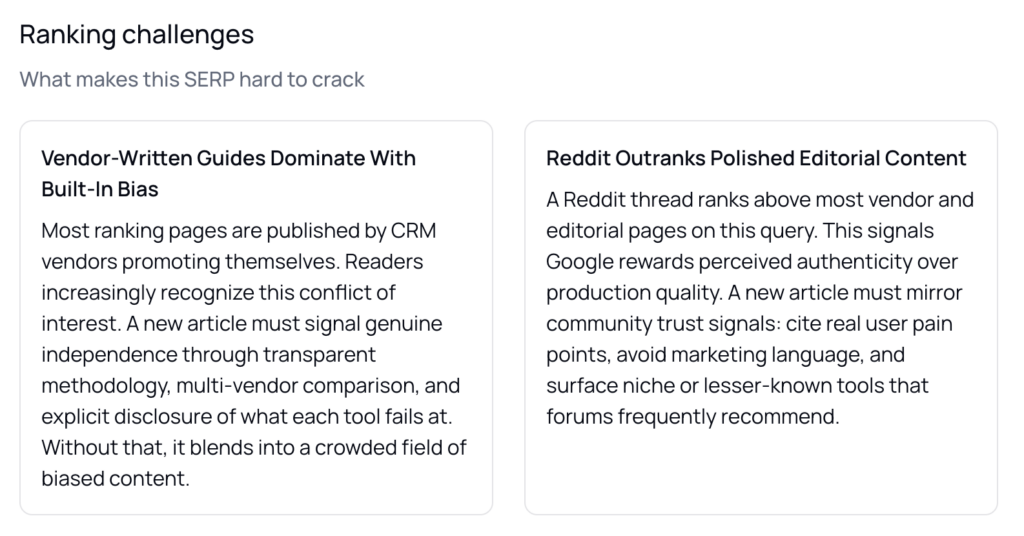
The section identifies specific threats, such as a community thread outranking polished editorial, or vendor-written content crowding the top of the SERP.
Knowing who you are actually competing against shapes your angle more than a ranking position does.
AI engine landscape
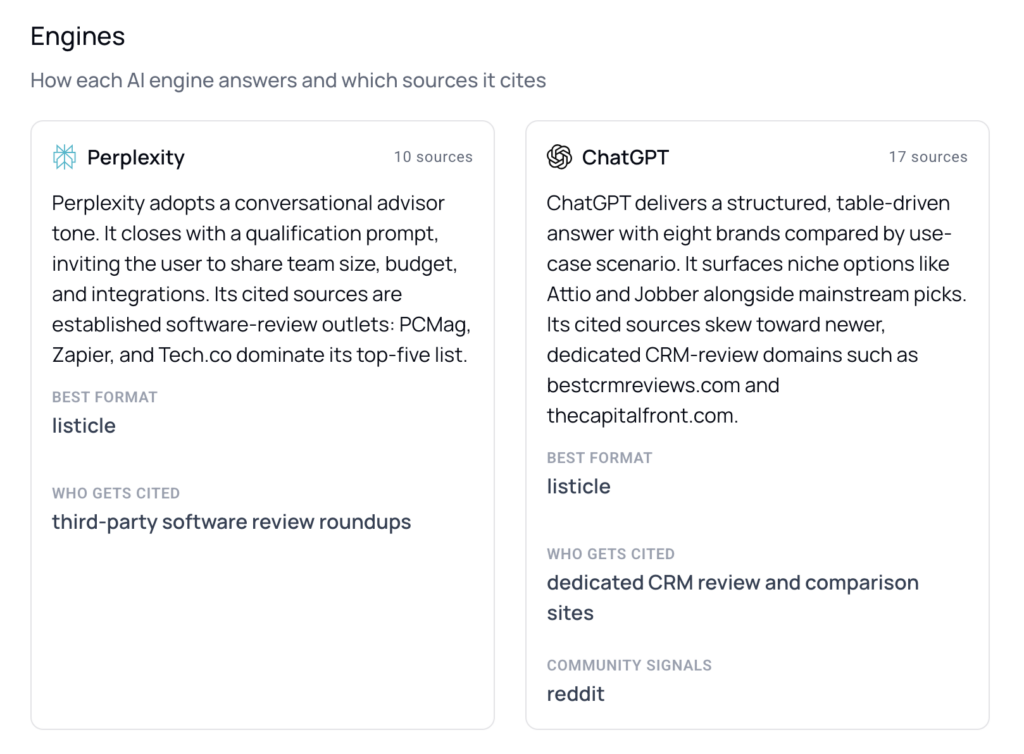
How ChatGPT, Gemini, Google AI Mode, Google AI Overview and Perplexity each handle the query: what sources they cite, what tone they use, and what that signals for an AI-citation strategy.
The section highlights cross-engine patterns, for example a source cited by three of four engines, which tells you where to focus to earn placement.
This section requires LLM analysis to have been run.
Brand landscape
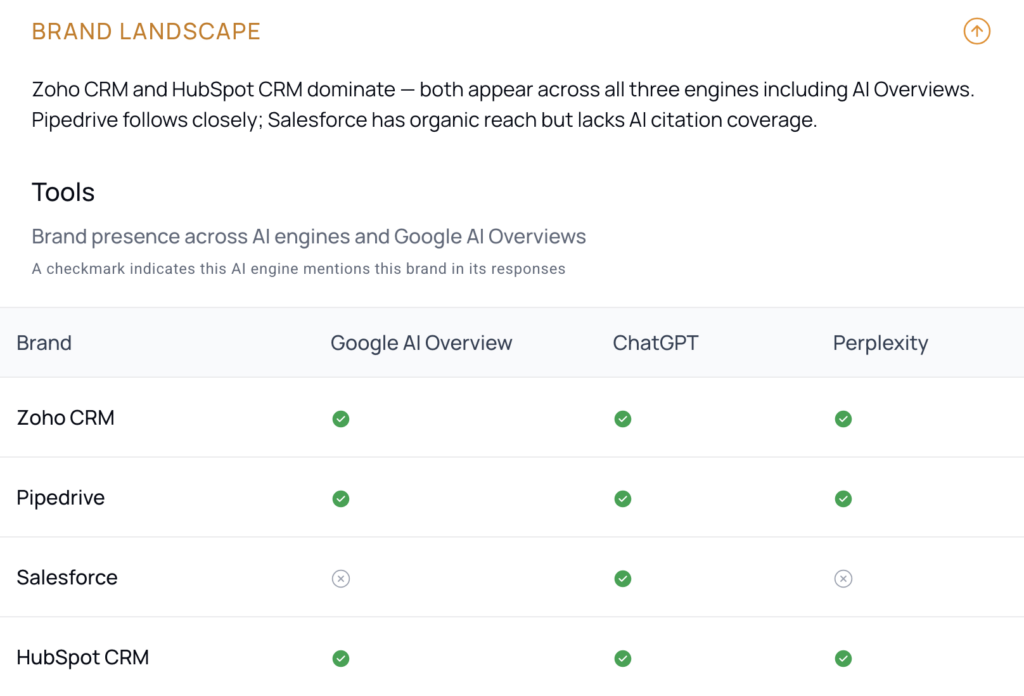
Which brands appear across the AI engine responses and organic results, and how prominently, so you can see who owns the conversation at the brand level.
Use this to spot the gap between brands that dominate AI answers and where your own brand sits.
This section requires LLM analysis to have been run.
Topic coverage
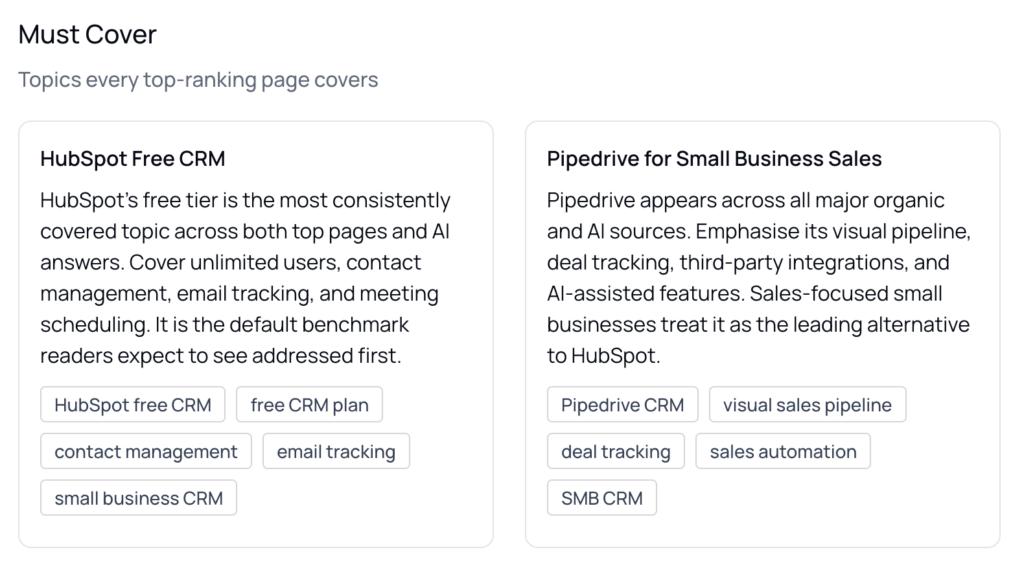
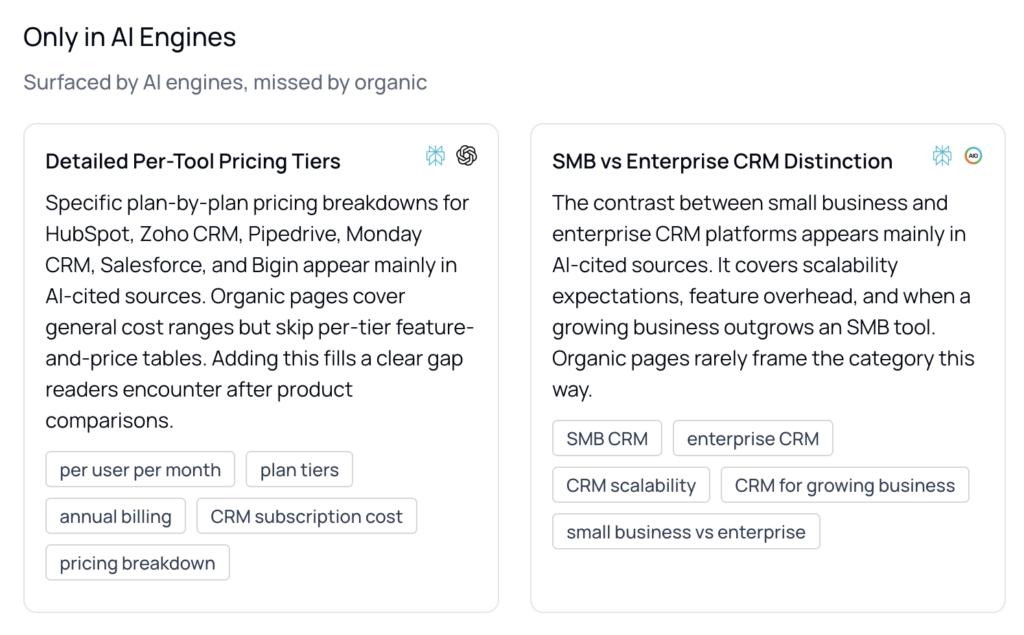
Three layers of topics:
- must-cover topics that every top-ranking page addresses,
- AI-only opportunities that AI engines surface but organic pages miss,
- and underserved angles that neither organic nor AI fill well.
The section also surfaces the most common “people also ask” questions for the keyword.
The AI-only opportunities and underserved angles are usually the fastest gaps to fill for both ranking and citation.
Strategic recommendations
Concrete direction across three areas: how to structure and write the article, how to position it for AI engine citation (GEO strategy), and where else to publish for reach.
This is the bridge between analysis and action, turning the patterns above into a writing and distribution plan.
Content brief blueprint
A ready-to-use starting point: suggested article angles, a full recommended heading structure with per-heading writer guidance and keyword suggestions, a target word count range, a recommended tone, and the brands to mention.
Create a content brief in one click
At the bottom of the Blueprint, one click creates a content brief pre-filled from the report:
- the recommended title,
- the full H2 and H3 heading structure with guidance and keywords,
- the target tone,
- the word count range,
- and the executive summary appended to the writer directive.
You select a template from the existing template picker, and the brief is ready to be finalized.
See example reports before you run one
Three live example reports are available without logging in, covering
- “How to lower blood pressure naturally” (informational health),
- “Running shoes for flat feet” (commercial ecommerce),
- and “Best CRM for small business” (commercial SaaS).
How to get started with the Analysis Agent
- Create a free thruuu account (if you don’t have one yet).
- Log in and open the SERP Analyzer page.
- Enter a keyword and run a full SERP analysis, including the AI search engines.
- Once the analysis is complete, open the keyword results view and click Run Analysis Agent.
Tips to get the most out of the Analysis Agent
- Start with the Executive Summary: Use the 5 to 6 sentence synthesis to decide whether a keyword is worth pursuing before reading the detail.
- Read the Competitive Landscape player types, not just positions: Being up against authority institutions versus vendor brands changes your angle more than a ranking number does.
- Mine the AI Engine Landscape for cross-engine patterns: A source cited by three of four engines tells you where placement is worth earning.
- Check Topic Coverage for AI-only opportunities: Topics AI engines surface that organic pages miss are usually the fastest gaps to fill.
- Send the Blueprint straight to a brief: Click Create Brief to carry the title, heading structure, tone, and word count into drafting without a second generation round.
What plan do you need to run the Analysis Agent?
| Plan | Analysis Agent access | Cost to run |
|---|---|---|
| Agency | Full access | 5 credits per run |
| Trial (5 free SERPs) | Full access | Free |
| Free, Starter, PAYG, Pro | No access | — |
Credit cost: Running the Analysis Agent costs 5 credits.
Ready to turn your next SERP analysis into a brief you can act on?
Run the Analysis Agent on any completed analysis in thruuu and get one strategic report, from audience and competitors through AI citation strategy to a ready-to-use heading structure.