

You might be looking for a way to monitor your brand visibility in AI search, ChatGPT, AI Overview, ect…
To do that effectively, you need a high-quality list of prompts that actually reflect how your audience searches.
Today, I’ll show you how to find these “GEO” prompts and build a HUGE list of 1,000+ prompts or questions, categorized by intent, without drowning in spreadsheets.
This process is the closest way to identify what your audience is actually typing into tools like ChatGPT, Perplexity, or Google AI Overviews.
We’ll follow a simple, four-step workflow:
- Extract questions and long-tail queries from Google Search Console.
- Expand that data using live Google “People Also Ask” (PAA) queries.
- Group prompts by similarity to remove noise.
- Identify search intent to prioritize the prompts that matter most.
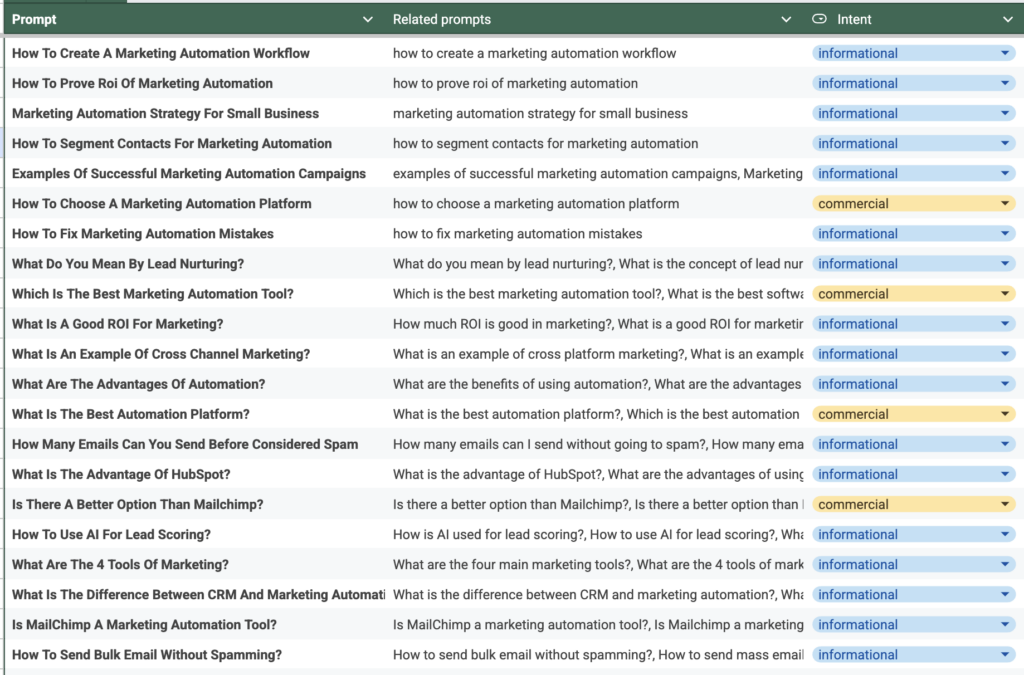
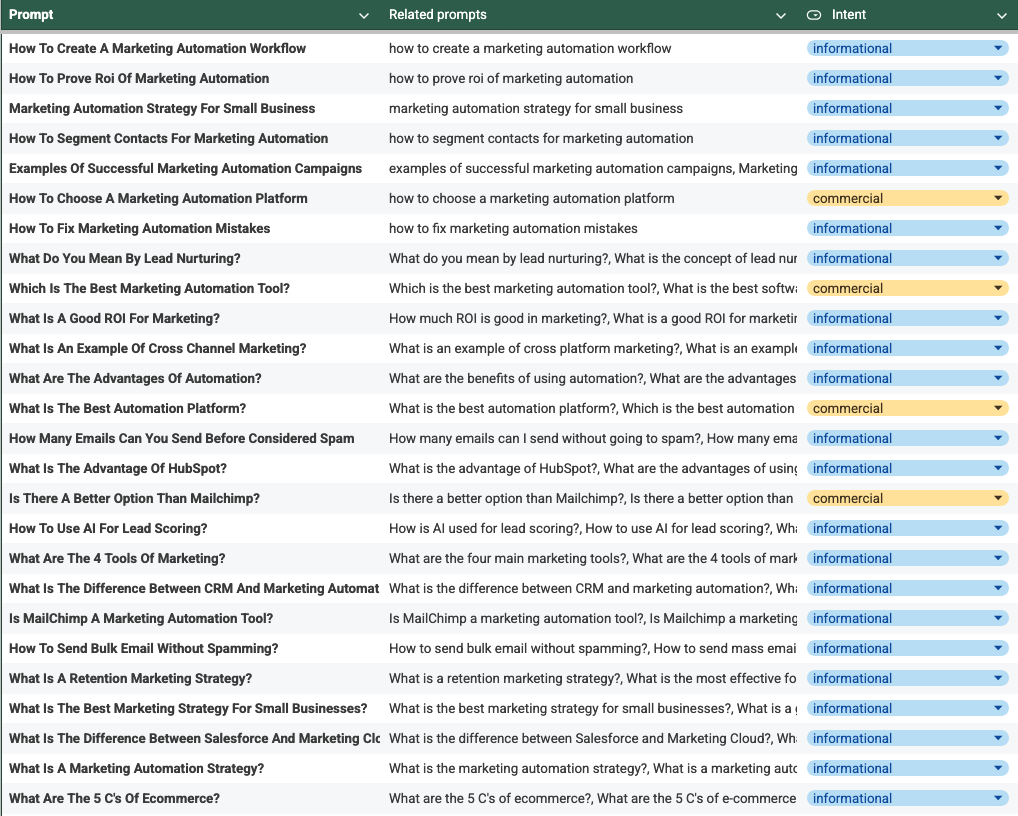
And you will end up with a list like this!
What we won’t cover in this article:
Because you’re an SEO professional and your time is valuable, I’m going to skip the “AI for Dummies” 101. We will not be discussing:
- What is a prompt? (If you don’t know, you’re in the wrong place)
- What is GEO? (You already know that SEO is dead)
- Why should you track brand visibility? (If you aren’t tracking it, your competitors already are)
You didn’t click this to read a glossary. You want the workflow.
So let’s get to the point.
Table of Contents
Step 1: Extract Questions and Long Tail from Google Search Console
Google Search Console (GSC) is the primary source of truth for your business. It shows you exactly what people are already using to find you.
We are going to use two specific Regular Expressions (Regex) to pull out the “prompt-like” data.
Question Extraction
Use this Regex in the GSC performance report to find queries starting with interrogatives like “why,” “how,” or “what”:
(?i)^(?:who|what|when|where|why|how|which|whose|whom|is|are|am|was|were|do|does|did|can|could|should|would|will|have|has|had|may|might|must)\b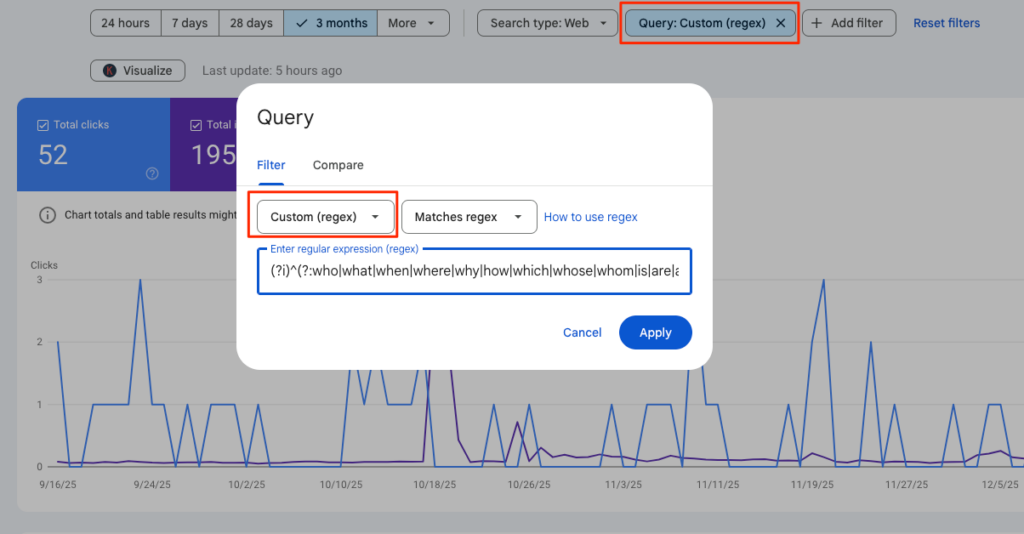
Export this list and save it; these are the direct questions your audience is already asking.
Long-Tail Extraction
Use a second filter for queries containing four or more words. These naturally mimic the conversational prompts used in AI search.
Regex:
^(?:\S+\s+){4,}\S+$(Adjust the number if you want even longer, more complex prompts).
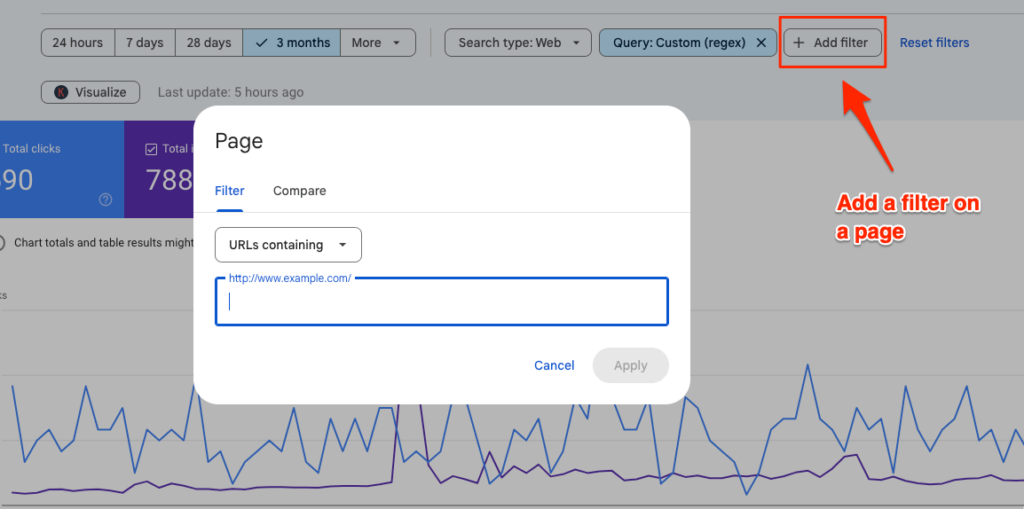
Pro Tip: To keep your list precise, add a secondary Page filter in GSC. Filter for URLs containing your main topic category (e.g., /blog/seo-tools/) to ensure the extracted prompts are relevant to your specific expertise.
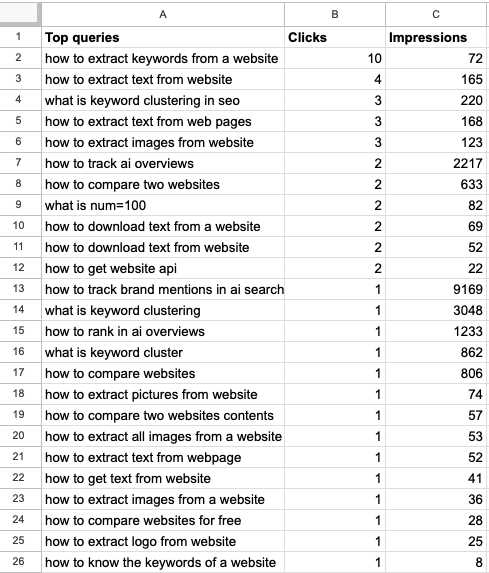
You can repeat this process multiple times for different categories, export the lists, and compile them into a single spreadsheet.
Don’t forget to keep the impression data. It serves as a vital indicator of search volume and priority.
Step 2: Expand Your List with People Also Ask (PAA)
GSC data shows how people found you, but it might not cover all the questions your audience is asking.
If you want the freshest database of questions on the planet, you look at Google Search and specifically, the People Also Ask (PAA) boxes.
Our goal here is to extract the relevant PAA for each query in our current list. While the logic is simple, searching each keyword and pulling the PAA, doing this manually is a waste of time.
Automating the Scrape of PAA with thruuu
There is a hidden tip to automate this using the thruuu clustering tool:
- Upload your GSC list to thruuu keyword clustering.
- The tool automatically extracts the PAA questions for every single keyword in your file.
- Download the report to access the complete list of PAA data.
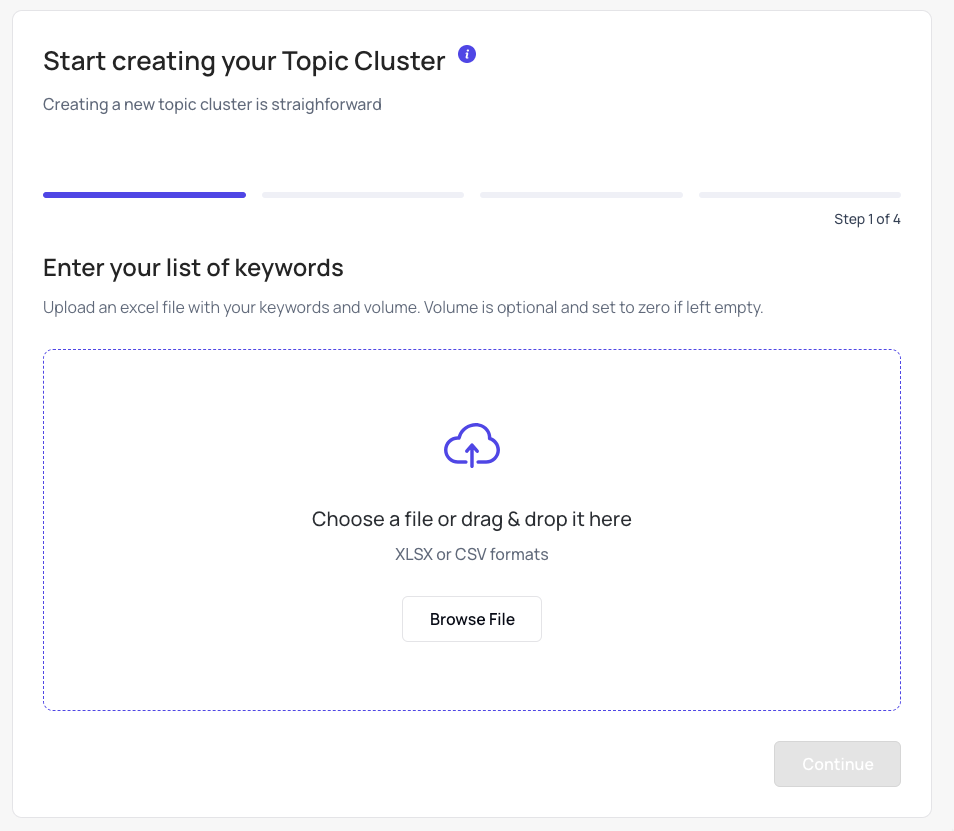
Upon completion, here’s what you do next:
You’ll find in the report tabs “Keywords,” “Questions” and “Related Search“:
- Keywords: It is your initial list of keywords
- Questions: List all the PAA related to your list of keywords
- Related Search: List all the related searches
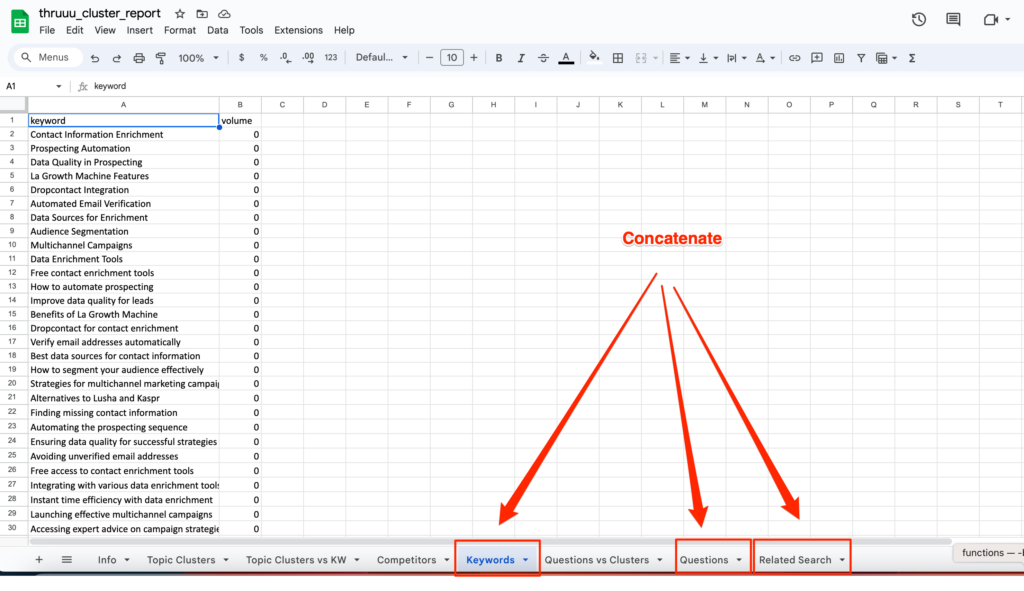
The Result: You can easily turn an initial list of 100 keywords into over 400 highly relevant questions in minutes. And repeat this process 2-3 times to go beyond 1000 prompts.
You can also watch this video and follow the workflow.
Why scraping PAA mimics AI Search and the Query Fan-Out
Have you heard of query fan-out? AI search engines often break a single user prompt down into multiple sub-queries to gather a complete answer.
Google’s PAA boxes are essentially a “fan-out” of the primary search intent.
By expanding your list with these questions, you aren’t just getting more keywords, you are expanding your coverage of the potential sub-queries an AI will use to build its overview.
By the end of this step, your list will be significantly longer and more representative of actual user behavior.
Step 3: Group the Prompts by Similarity
Now that you have a massive list, you’ll notice redundancy.
You don’t want to track “Can you explain lead nurturing?” and “What is the lead nurturing process?” as two separate prompts. They lead to the same result.
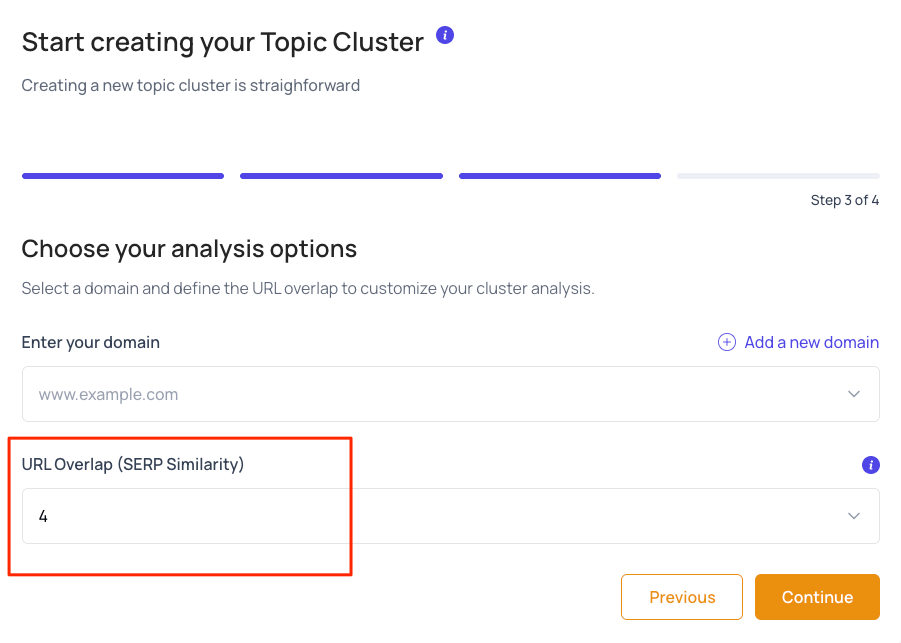
To focus on the main questions, we group the keywords by SERP Similarity.
By re-uploading your expanded list to thruuu keyword clustering, you can group questions that generate similar search results.
I suggest a SERP overlap of 6 (meaning 60% of top URLs must match to group them). This keeps your clusters precise without being too fragmented. But feel free to find the best settings.
Then you will see in the interface, all the similar queries grouped by intent.
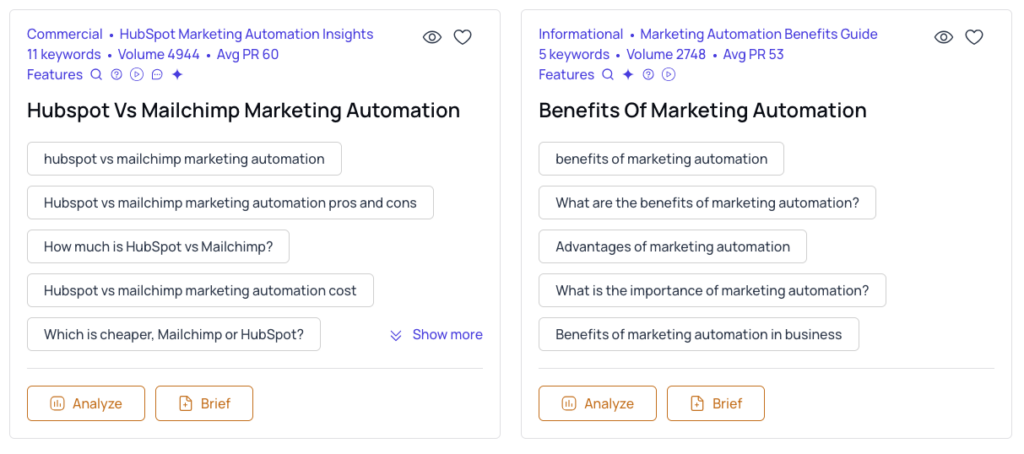
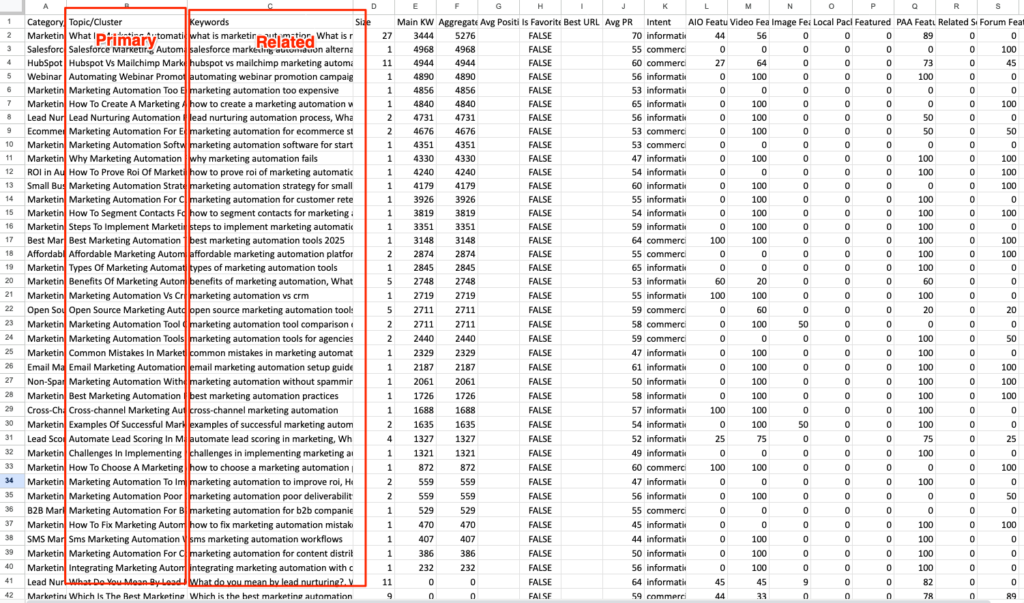
To get your list of prompts grouped by similarity, download the report and visit the “Topic Cluster” tab. You will find the primary prompt, related prompts, and other data.
Step 4: Identify Intent
To build a real strategy, you need to know the Search Intent.
Identifying intent allows you to focus your efforts effectively:
- Informational: Great for building top-of-funnel brand authority.
- Commercial: Essential for driving bottom-of-funnel sales.
- Navigational/Transactional: These are often less useful for AI visibility tracking.
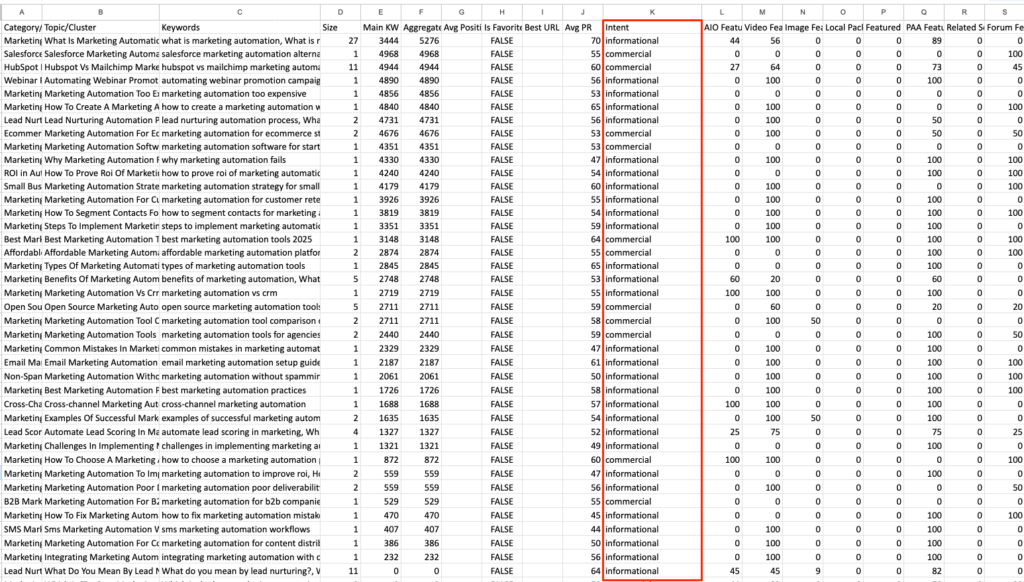
thruuu automatically categorizes your clusters into intent, and you will see a dedicated intent column in your report.
Now you can clean the list and only keep the primary prompt, related prompts, search volume, and intent.
Voila! You have built a great list of 1,000+ prompts grounded in real data.
Final Step: Monitor Your AI Search Visibility
You’ve done the hard work. You’ve built a high-quality, data-driven list of 1,000+ prompts based on real user behavior.
Now, it’s time for the final and most crucial step: finding out if your brand actually shows up in the answers to those prompts.
Google’s AI Overviews (AIO) are reshaping how users discover content.
The big question for every SEO is: Is my brand visible in those AI-generated answers?
You can’t manage what you don’t measure.
With thruuu’s new AI Overview monitoring feature, you can track your brand and domain visibility across hundreds or thousands of keywords directly inside Google’s AI Overviews.
It’s your new control center for understanding how Google’s AI perceives your brand.
This feature gives you:
- A Global Visibility Score: Shows how often your brand is mentioned in the AI-generated text. (e.g., 19 mentions across 209 AIOs = 9% visibility).
- AIO Presence Rate: Shows how many of your keywords actually trigger an AI summary (e.g., 209 out of 340 keywords = 61% presence). This tells you how “AI-heavy” your niche is.
- Data on Sources & Mentions: See if you are cited as a source URL and where your brand name appears in the AI content.
- Competitor Benchmarking: See who dominates the AI landscape, you or your competitors.
How to Get Started
- Create an AIO Report: From the left menu in thruuu, click “Create an AIO Report.” Enter your report name and domain.
- Brand Detection: thruuu will automatically detect your brand name from your website.
- Upload Your List: Upload the CSV file of 1,000+ prompts you created in the previous steps.
- Launch: Select your desired SERP (country/device) and launch the report.
FAQs on Finding Prompts for AI Search
What other sources are there for discovering prompts?
You can scrape forums like Reddit or social media to find common community questions, then apply the PAA expansion trick to those terms.
Can these prompts be trusted?
While there is no way to see a user’s exact private prompt history, starting with GSC queries is the most accurate proxy available for what your audience is actually asking AI.
Empower Your Content Team
Our end-to-end content optimization solution empowers your team to crack the Google algorithm, craft exceptional content, and achieve remarkable organic search results.