

Ready to turn your search research into a full first draft?
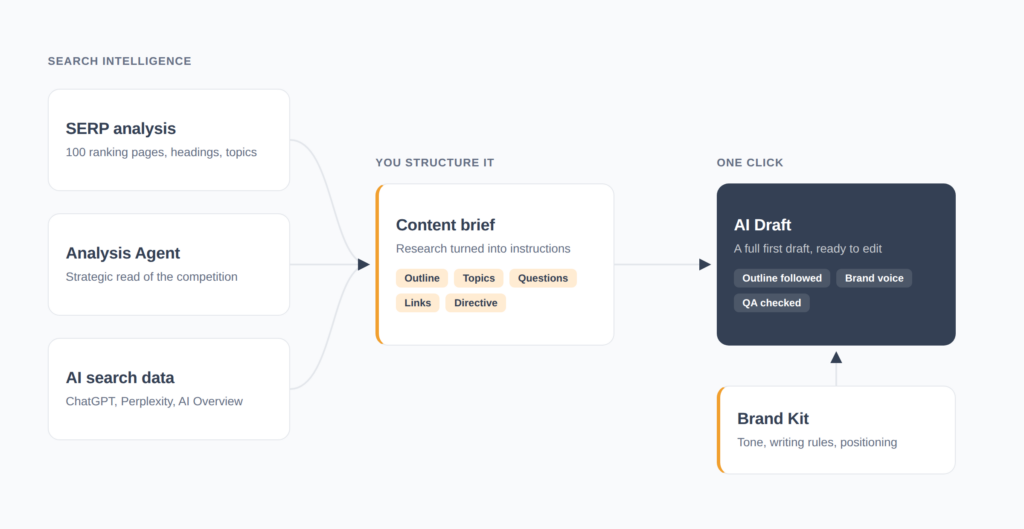
AI Draft in thruuu writes a complete article from the search intelligence you have already gathered: the SERP analysis, the AI Overview and LLM citation data, the search intent, the competitor outlines, your brand voice and more…
- Turns everything you have analyzed on a keyword into a first draft
- Grounds the angle in the Analysis Agent’s strategic read of the top-ranking pages
- Writes with visibility into what ChatGPT, Perplexity, Gemini and the AI Overview say about the topic
- Follows the outline you validated, at every heading level, worded as you wrote it
- Covers the topics and answers the questions found in the search results
- Applies your Brand Kit voice, writing rules, banned words, and competitive positioning
- Flags every open item (stats, examples, links, claims to check) in one review list
- Runs an automated editorial QA check before marking the draft ready
The more research you have run on a keyword in thruuu, the stronger the draft that comes out.
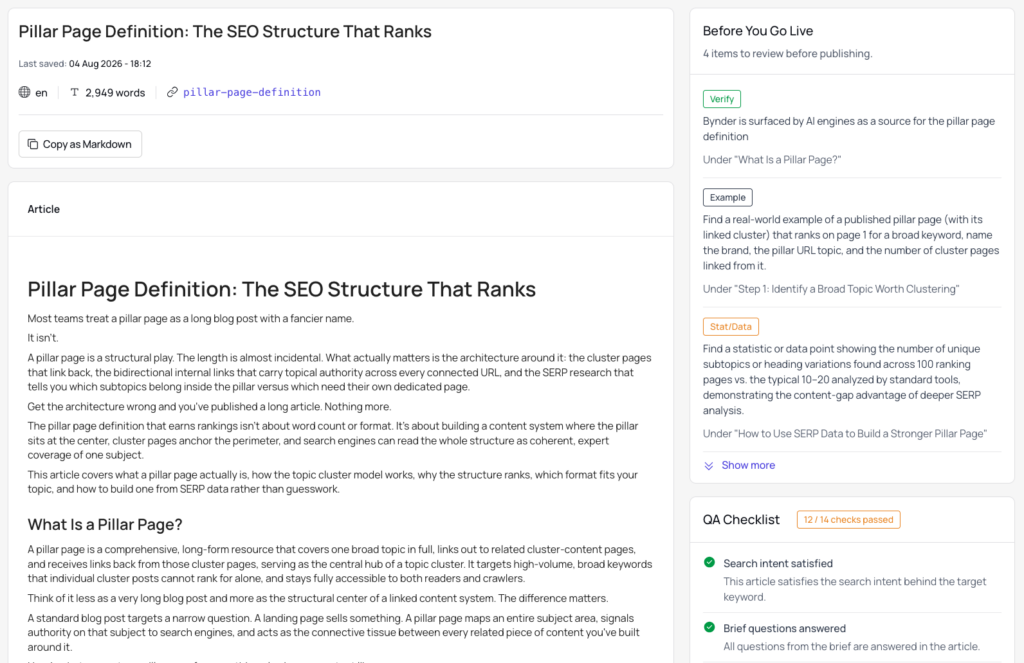
Overview of the AI Draft in thruuu
AI Draft is the last step in the thruuu content creation workflow.
- Analyze the keyword: Run the SERP analysis and review the AI search results to see how the topic is covered and cited.
- Create a content brief: Turn that research into an outline, topics, and questions.
- Generate the draft: Click Create AI Draft in the brief’s action bar.
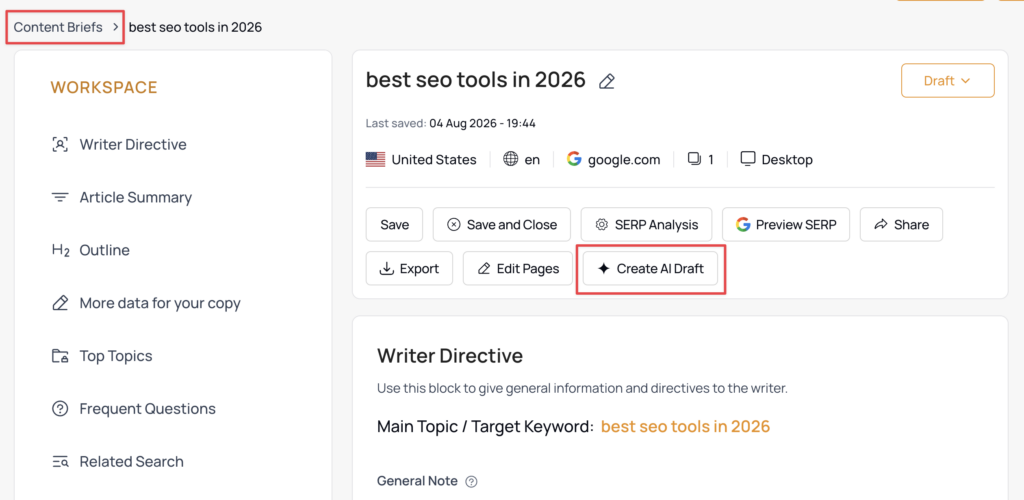
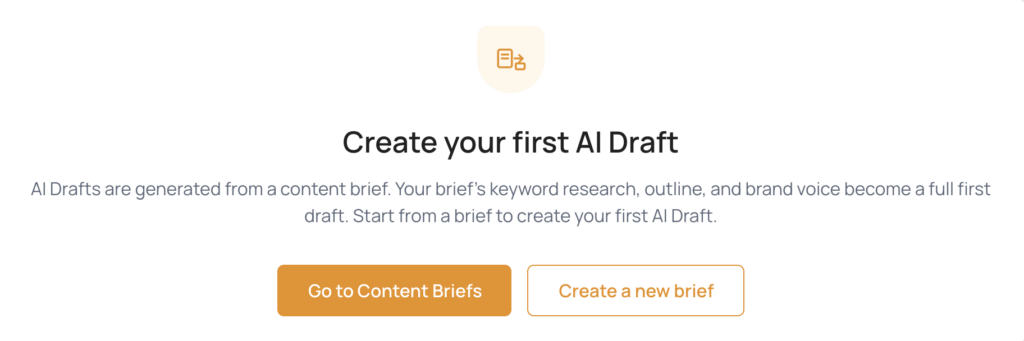
Every draft in your account is listed in My Drafts, under Content in the main navigation.
A New Draft page in the same menu walks through the flow for anyone who has not generated one yet.
The draft does not start from a prompt. It starts from your data: the 100-page SERP analysis, the search intent, the competitor headings, the questions surfaced from search, the AI answer engine results, and the brand context in your workspace.
One thing AI Draft will not do. It never invents a statistic, a study, or a source. It leaves a marked placeholder instead, so you can add your own research and expertise.
The search intelligence behind every draft
Each analysis you run on a keyword adds something the draft cannot get any other way.
SERP analysis
Starting from a SERP analysis is the way to go. It gives the draft the top-ranking pages, their headings, and the topics and questions that define the subject.
Run the Analysis Agent on top of it and the draft gets more: a strategic report on how competitors structure the topic, which subtopics carry weight, and where the coverage gaps sit.
The more insight you extract before generating, the better the draft.
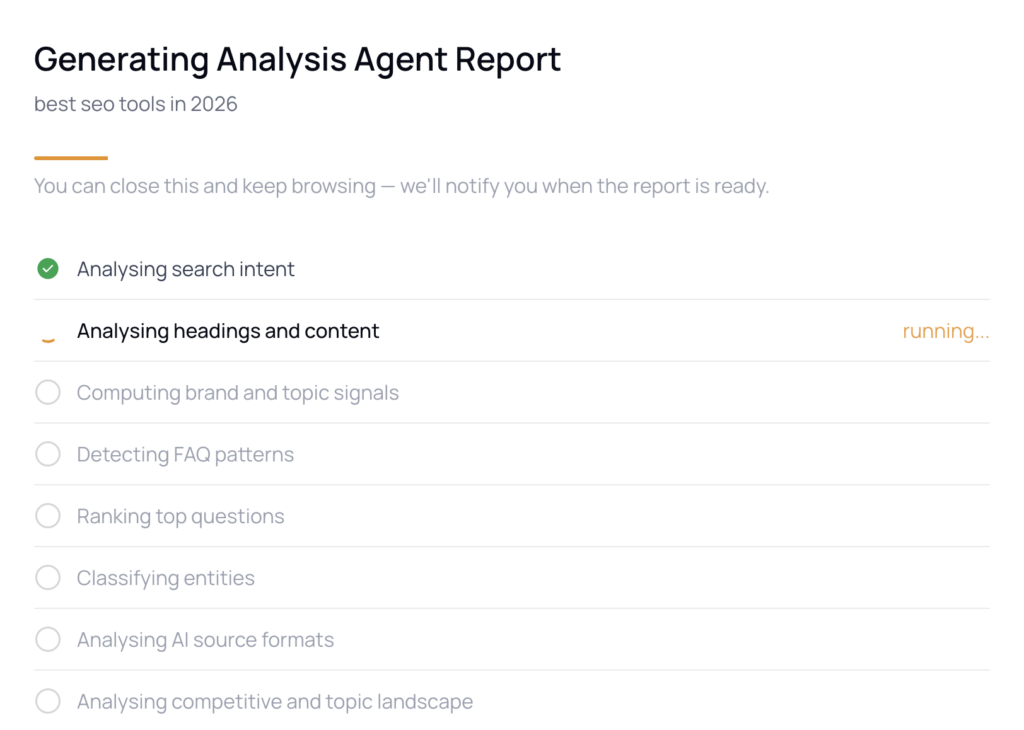
👉 Learn how to turn a full SERP analysis into a strategic report with the analysis agent in thruuu
AI search visibility
With thruuu you can also analyze the main AI search engines, like ChatGPT, Perplexity, Google’s AI Overview and more.
You extract what those engines answer on the topic, which brands they mention, and which sources they cite.
Run that analysis and the draft writes with it in view, which adds another layer on top of the SERP research.
Brand Kit
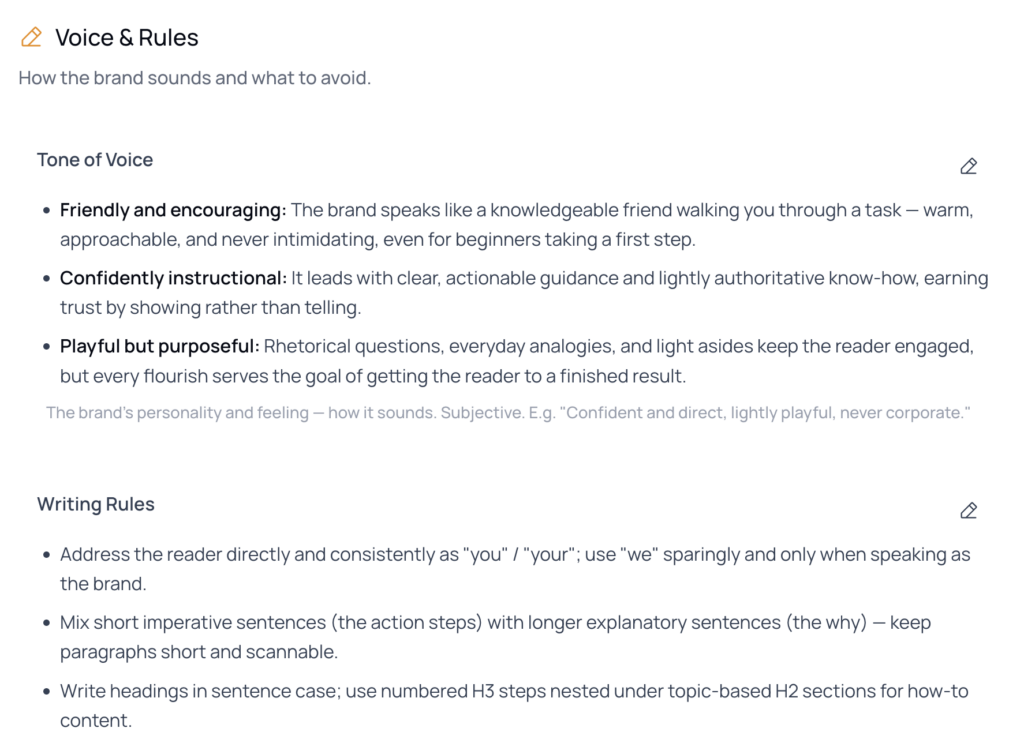
With a Brand Kit set up, the draft writes in your tone, follows your writing rules, respects your banned words, and mirrors measured patterns from your own published content (sentence rhythm, paragraph length, how you open and close a piece).
It also carries your competitive positioning, so the draft understands where you sit against your competitors, not just how you sound.
None of this is required. A draft built from a bare brief still ships something usable.
But a keyword that has been through the full thruuu content workflow produces a noticeably stronger draft.
How the brief directs the writing
The brief is where your research becomes instructions. Nearly every field you complete changes what comes back.
- Outline: every heading appears in the draft, at every level, worded exactly as you wrote it. Headings are not renamed, dropped, or reordered.
- Target word count: the draft aims for the length set on the brief.
- Writer Directive: any writing instructions you leave in this block are followed. You can override information from your brand kit.
- Top Topics: the terms you added guide coverage, prioritized by how much the top-ranking competitors actually discuss each one.
- Frequent Questions: every question on the brief, plus the people also ask questions pulled in from search, is treated as something the article has to answer.
- Links to include: links are placed in the draft using the anchor wording you suggested.
- Notes and custom instructions: food for thought and other free-text notes are read as additional instructions for the writer.
Search intent, related searches, and cited sources carried into the brief feed in as well. A thin brief produces a thinner draft, the same way it would for a human writer.
What the draft view shows
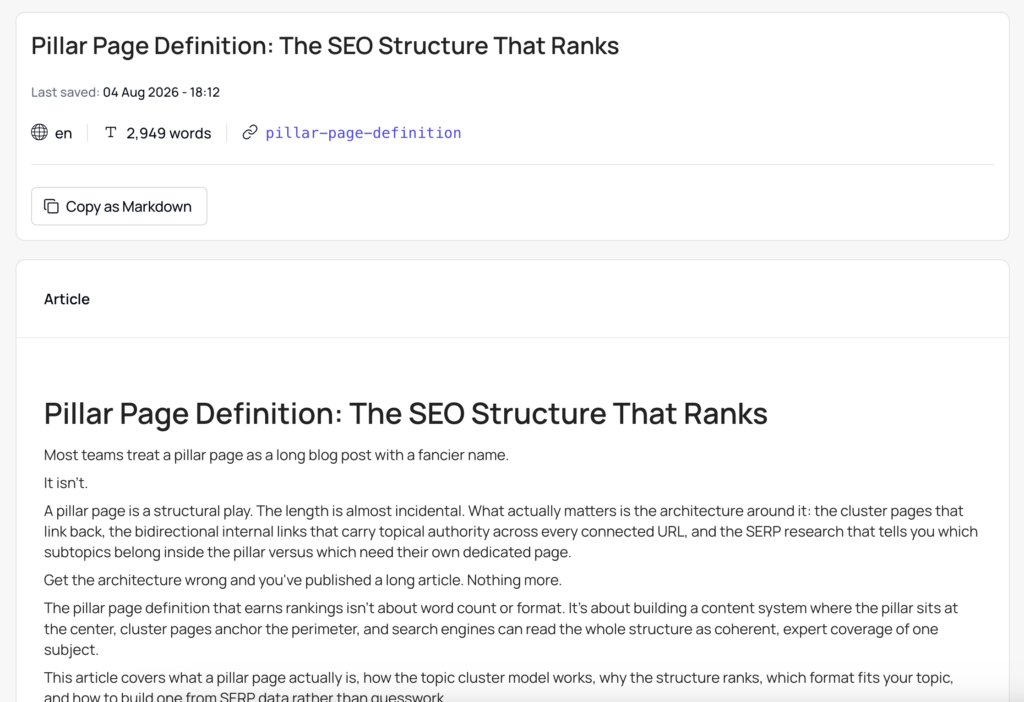
Open a draft and you get its key facts at the top: title, last saved timestamp, language, word count, and slug.
Below that, the full draft is rendered with its headings, tables, lists, and checklists in place.
Copy as Markdown copies the whole draft in one click. It pastes clean into a CMS or a writing tool, with no leftover markdown syntax to strip out by hand.
This is the handoff point. Your writer reviews the draft here, then moves it into whichever editor the team publishes from.
Before you go live
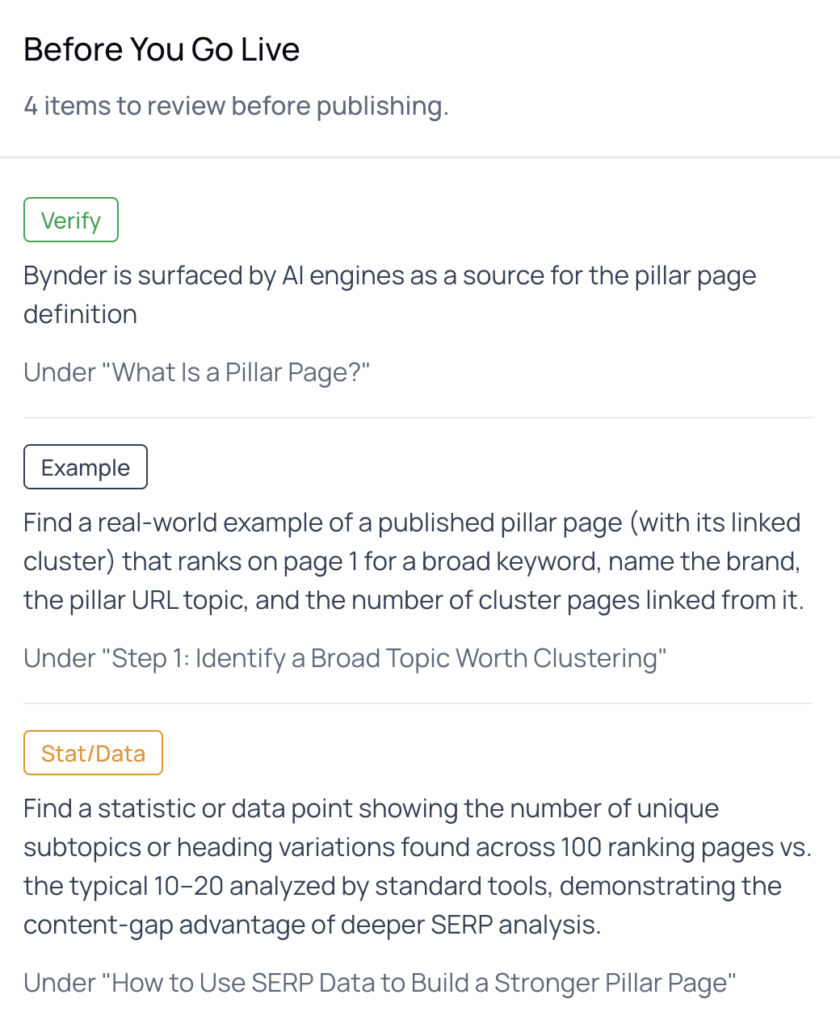
The Before You Go Live panel lists everything in the draft that still needs a human decision.
Each item is labeled by type, explains what to supply, and names the section it sits under, so you can jump straight to it.
There are several types:
- Stat/Data: a statistic or figure the draft deliberately left blank rather than invent, with a note on what to find.
- Example: a testimonial or real-world example flagged for the writer to supply.
- Link: a link flagged for a human to place or confirm.
- Verify: a specific named claim (a company, a date, a fact) the model wrote but is not fully confident in, flagged for a quick fact-check.
The QA checklist
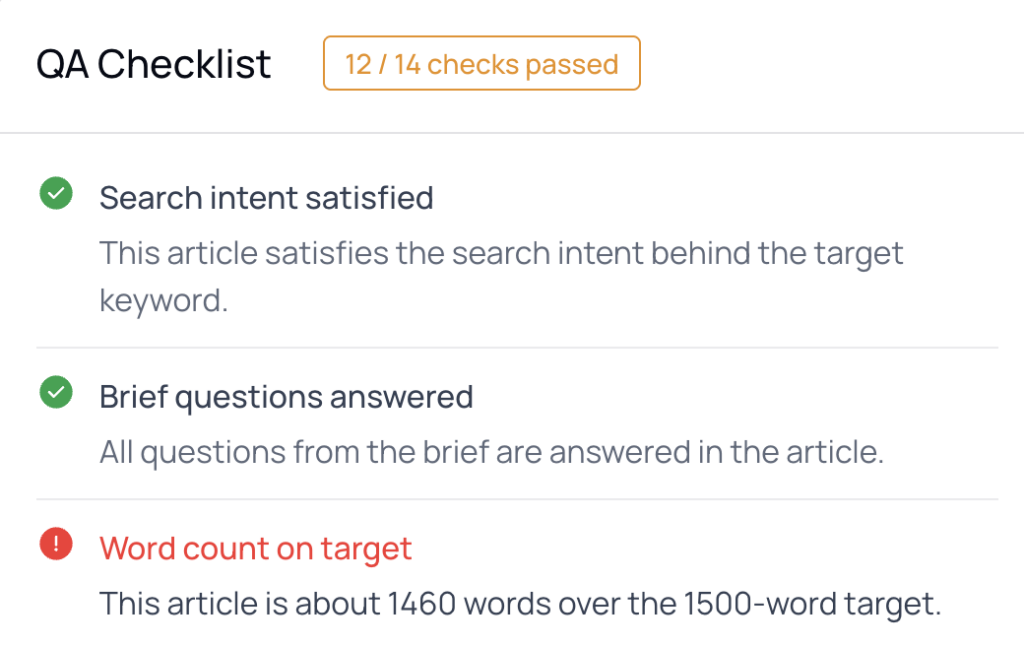
Every draft passes through an automated editorial review before it is marked ready, and the result is shown on the draft as a QA Checklist with a pass count.
The checks cover search intent, questions answered, word count, heading structure, brand writing rules, tone, stat attribution, and the call to action.
Each check shows pass or fail, and anything that did not pass carries a plain-language note on what to double-check.
How to create your first draft with thruuu
- Log in and run a SERP analysis on your target keyword.
- Trigger the Analysis Agent
- Build a content brief from that analysis, filling in the outline, topics, questions, and writer directive.
- Click Create AI Draft
- Open the draft from My Drafts once its status shows ready.
What plan do you need?
AI Draft is available on the Pro and Agency plans. Each generation costs 15 credits.
How to make the most of the AI Draft in thruuu
- Run the Analysis Agent before you generate: The strategic report from the SERP analysis feeds directly into how the draft is planned, and it is the single biggest quality difference between a bare draft and a researched one.
- Check the keyword against AI search engines: When the AI Overview and LLM results are captured, the draft writes with visibility into what those engines already say and cite on the topic.
- Work the Before You Go Live list top to bottom: Each Stat/Data, Example, Link, and Verify item names the section it sits under, so you can fill gaps in order instead of rereading the whole draft.
- Treat the QA Checklist count as your handoff signal: Anything short of a full pass carries a plain-language note explaining what to fix, which tells you exactly where to spend editing time.
- Add competitive positioning to your Brand Kit, not just tone: It changes how the draft frames your product against alternatives, which tone settings alone cannot do.
Ready to turn your search research into published content?
With AI Draft in thruuu, everything you have analyzed on a keyword becomes a first draft that reflects the search landscape, your brand voice, and a clear list of what to check before publishing.