

Briefs today carry more weight than they used to. They still guide writers, but they also feed AI writing tools, and writers now expect them to reflect what AI engines say about a topic, not just what Google ranks.
The thruuu Content Brief was updated around that shift.
Here’s what’s new:
- Briefs arrive with the outline, title, and meta description already filled in
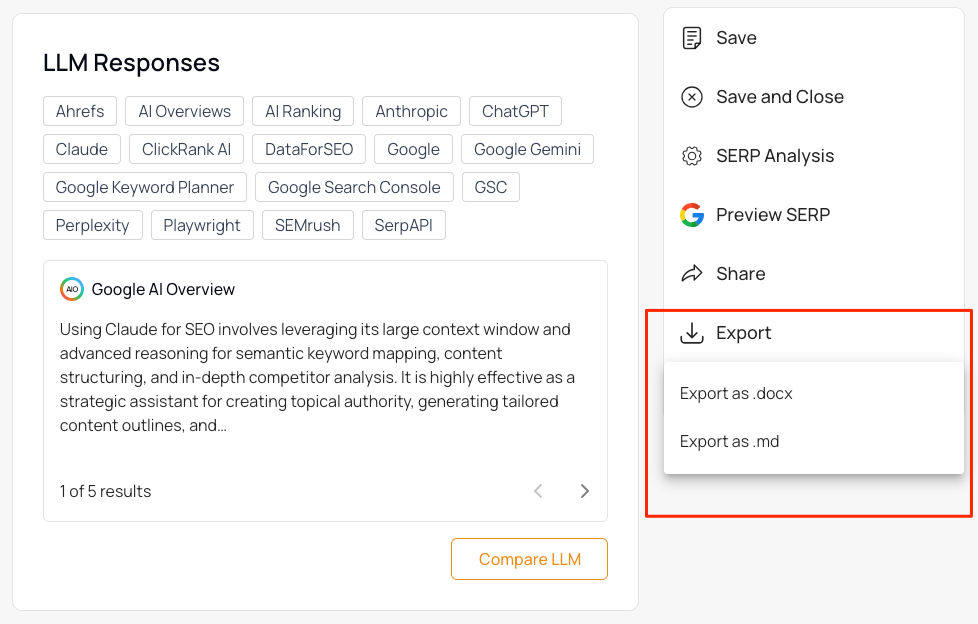
- A new LLM Responses block shows what each AI engine says about your keyword, inside the brief
- Markdown export, so briefs paste cleanly into Claude, ChatGPT, Cursor, Notion, and any other Markdown-native tool
- Custom outline prompts are easier to write, with a wider editor and an “Improve with AI” button
- A handful of quality-of-life upgrades across the brief
If you write articles with AI in the loop, the updated content brief generator is built for your workflow.
Table of Contents
Briefs now arrive with outline, title, and meta pre-filled
Open a new brief and it’s already populated.
The content outline, the suggested article title, and the meta description are generated the moment the brief is created.
No clicking through three separate “Generate” buttons before you have something to work with.
The default outline is also more detailed than it was. It reflects the depth of top-ranking pages for your keyword and every H2 carries a content direction sentence plus 3-5 specific bullets.
It reads like a real brief, not a heading list.
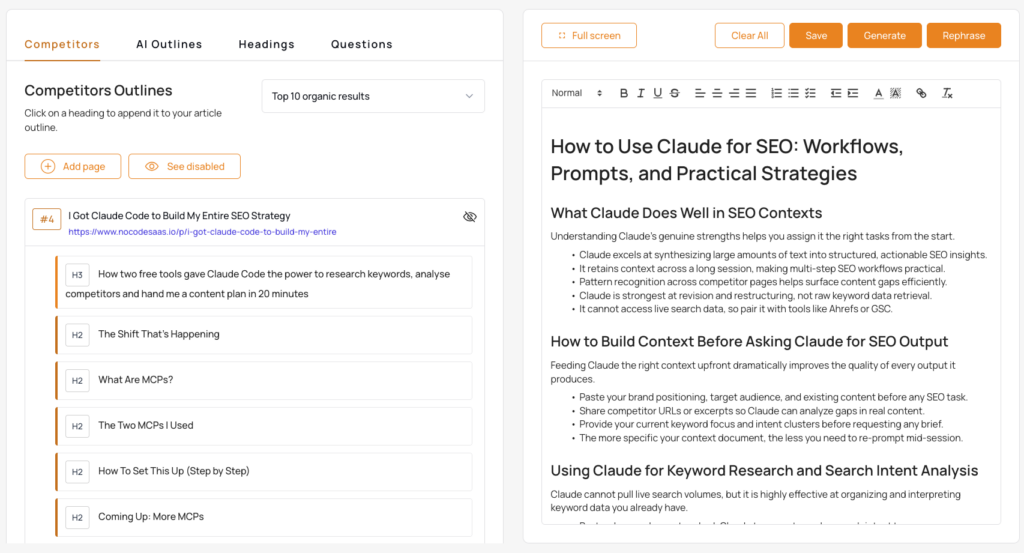
If you’ve already set a title for the brief, the outline aligns to its format automatically.
- A listicle title gets a numbered structure.
- A how-to title gets action-oriented sections.
- An analysis title gets an analytical structure.
You no longer have to set the title, then restructure the outline by hand to match.
This is the default outline. If you’d rather work with your own format, the next section is for you.
Note: All of this is now generated by Claude in the background.
Custom outline prompts are easier to write
Quick refresher: an outline prompt is a reusable instruction set that tells the AI how to structure outlines. Think of it as a skill.
You define your format, tone, and structural rules once, and every outline you generate from then on follows it.
Useful for agencies juggling several editorial styles, or for any team that wants outlines that come back in a consistent format every time.
Two changes to the prompt editor:
- The editor is now wider, with a two-column layout and a 5,000-character limit. Detailed format instructions no longer get truncated.
- A new Improve with AI button sits next to the prompt field. Click it and your prompt is rewritten to be more precise, while preserving your intent, tone, and structural directives.
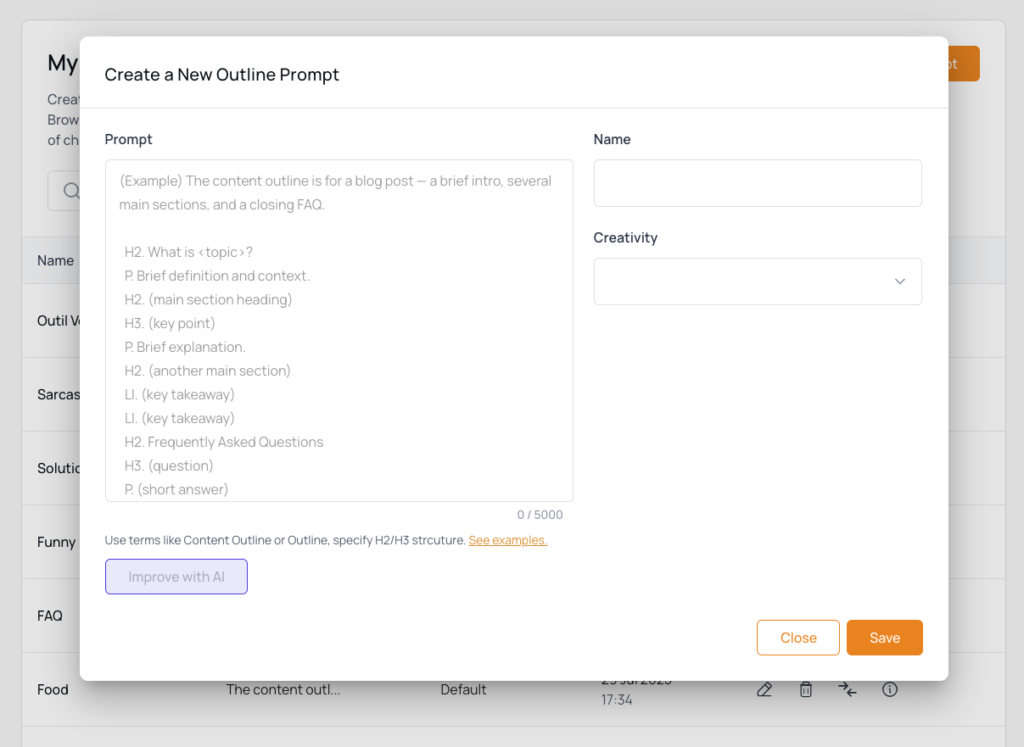
If you’ve been hitting the character limit, or your prompts have drifted into vague territory, this is the section to look at.
LLM Responses block: AI engine context inside the brief
This is the change that matters most for GEO.
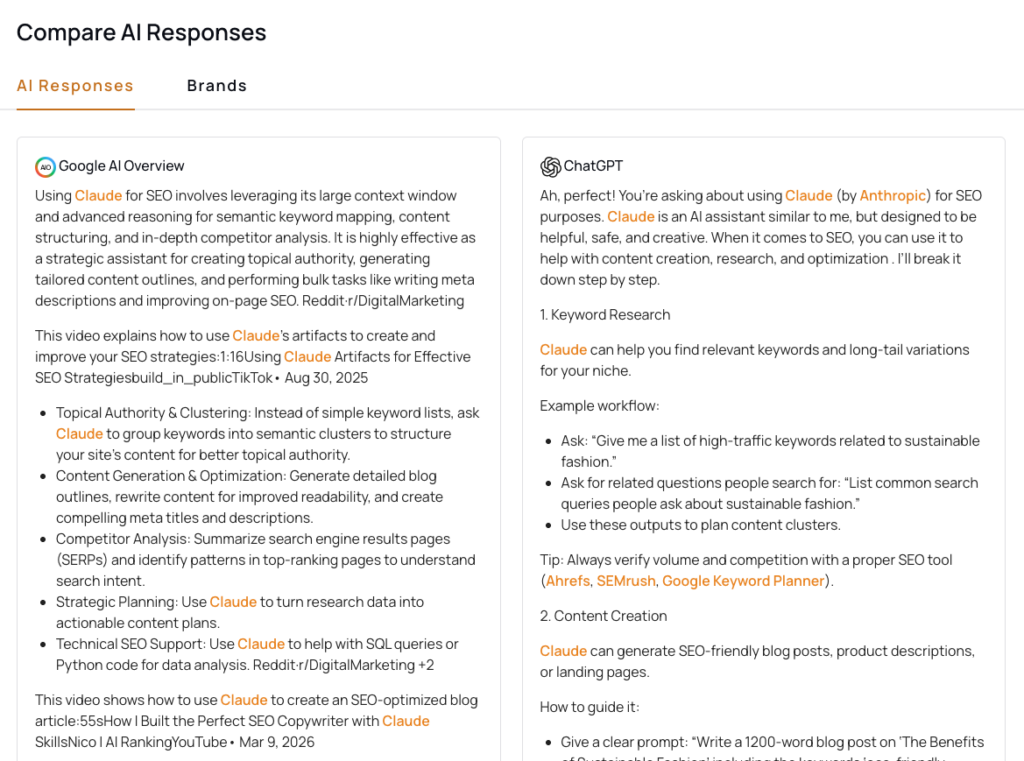
The new LLM Responses block in thruuu shows, for each major AI search engine (Google AI Overview, ChatGPT, Gemini, Perplexity, and Google AI Mode), the summary answer that engine gives for your target keyword and the brands it mentions.
Add the block to any brief template and it’s populated automatically when the brief is created (if the related AI Search Analysis contains LLM data).
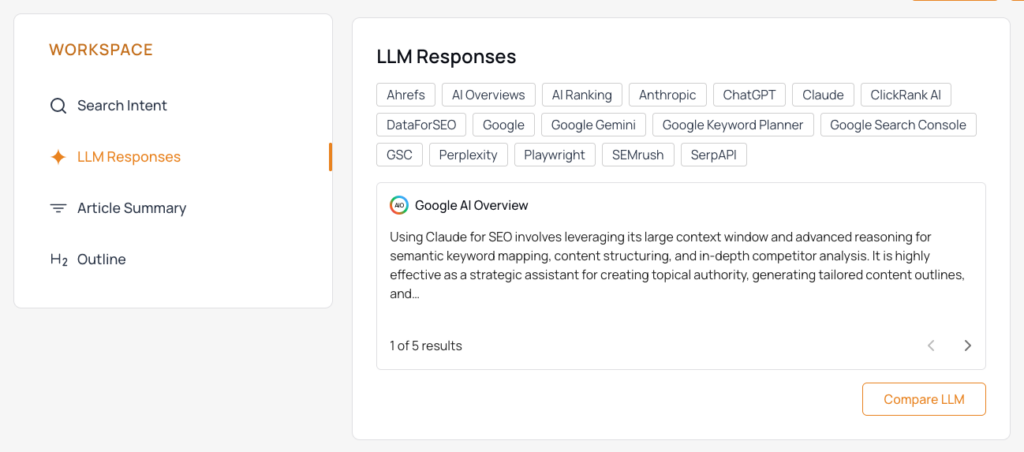
A Compare LLM button opens a side-by-side view of all engines responses and brand mentions, without leaving the GEO brief.
Writers no longer need to tab over to the Search analysis to understand AI visibility for a topic.
The competitive AI picture lives inside the briefing document, next to the outline and the search intent. When you hand the brief to a writer or to an AI writing tool, the AI search context goes with it.
Export briefs to Markdown
Briefs now export to .md alongside .docx. Click Export, pick your format.
Every AI writing tool and modern content workspace ingests Markdown natively.
Paste once, no reformatting, no cleanup.
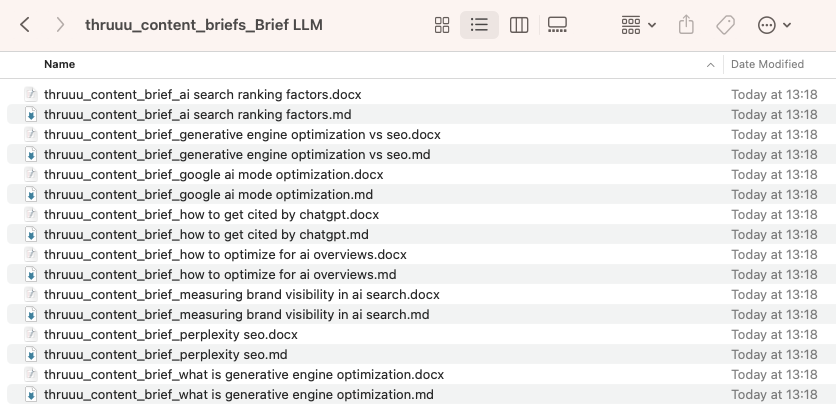
For agencies running bulk briefs, the downloaded zip now includes both a .docx and a .md file for every brief in the batch. Both formats, automatically.
An end-to-end workflow for scaling AI content production
Put these pieces together and the brief-to-draft workflow looks like this:
- Build a brief template with the blocks you need, including the LLM Responses block.
- Define a custom outline prompt that matches your editorial style.
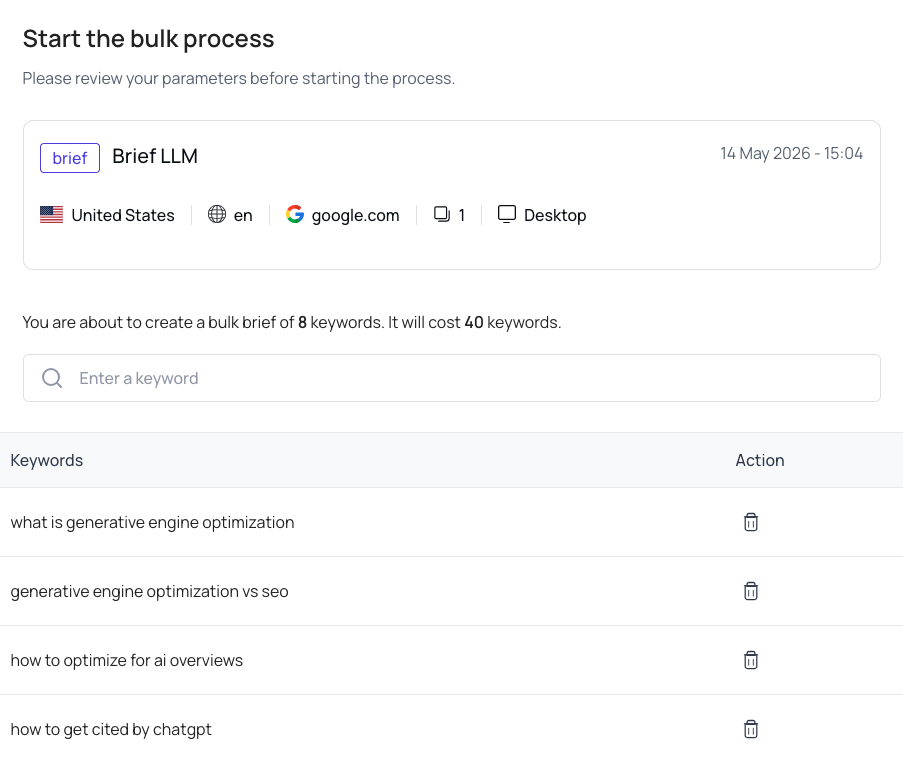
- Drop a list of keywords into the bulk tool and select your template and outline prompt.
- Download a zip with one Markdown brief per keyword.
- Feed the Markdown briefs into the thruuu-claude-writer to generate AI drafts at scale.
The brief carries the research, the search intent, the outline, and the AI engine context.
The writer, human or AI, starts from a document that already reflects what it takes to rank and get cited.
Plan availability
- Auto-generated outline, title, and description: Starter, Pro, and Agency.
- LLM Responses block: Pro and Agency.
- Markdown export, custom outline prompts: included with brief access.
No change to credit cost. Generation is included in brief creation at no extra charge.
Empower Your Content Team
Our end-to-end content optimization solution empowers your team to crack the Google algorithm, craft exceptional content, and achieve remarkable organic search results.